modules do not install in Pycharm
Answered

Hi
I tried many different ways to install statsd package , I find it on pip and setuptools.
 As you can see on bottom right it is written "package installed successfully. But when I back to the package lists, It doesnt show the package:
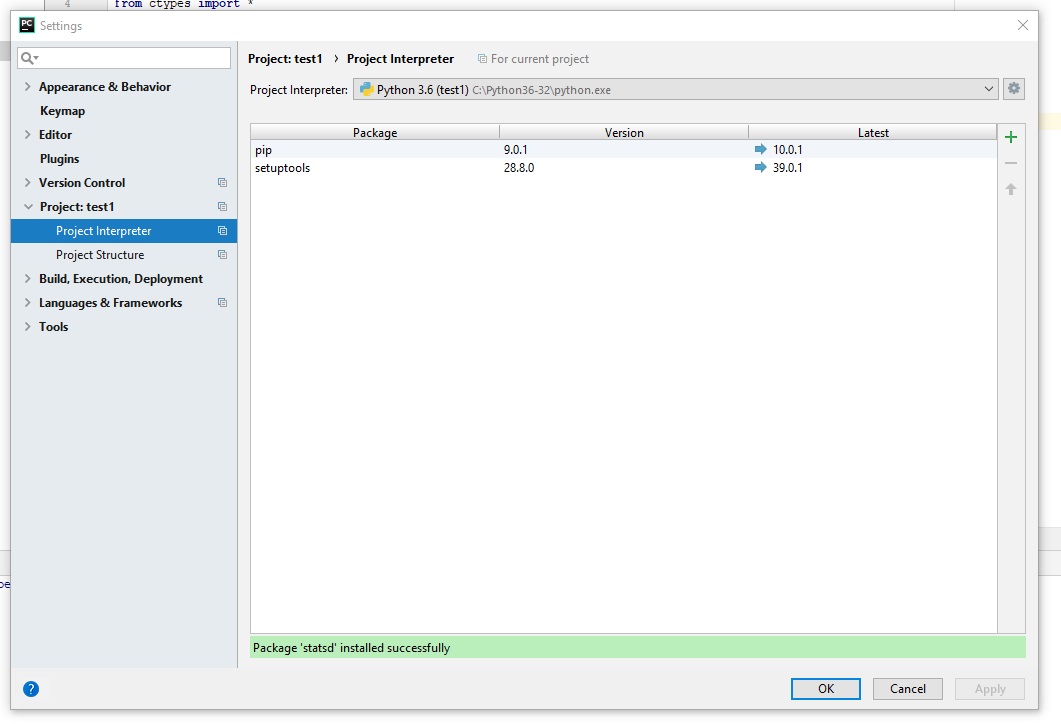
and when I want to import the package it says there is an error:
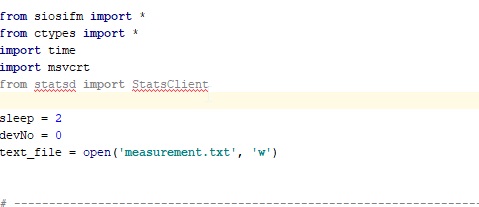
How can I add the packages I require ?Can you pls guide me?
Thanks
Please sign in to leave a comment.
Sorry for the inconveniences but apparently it's the recent regression that caused the IDE not to report package installation errors. Could you please upgrade to PyCharm 2018.1.2 and also check whether the package could be installed from the command line?
Hi Thanks for reply,
I think the issue is solved. But Im using business computer and pip cant have access to internet. Instead I downloaded the required packages and installed them offline.
Bests