Cannot see some symbols from Mac OS

Hello dear Colleagues.
Here is some issue: i've got some HTML code which was created on MAC OS. I work on windows
if i open this code in Sublime text i see this
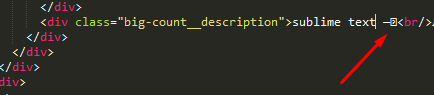
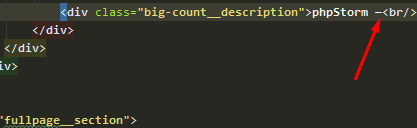
But PHP storm doesn't see that symbol
That symbol in browser
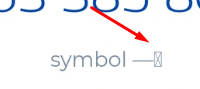
How can i teach PhpStorm on windows recognize that symbols ?
Thank you
Please sign in to leave a comment.
Hi there,
What symbol is that?
If you install "Zero Width Characters locator" plugin -- will it complain? If so -- then you better remove it as IDE will not show it (it's invisible in IDE eyes) -- https://youtrack.jetbrains.com/issue/IDEA-115572
If it does not complain ... then it must be some symbol that IDE cannot find glyph in the font used. Try choosing another font in IDE at "Settings | Editor | Color Scheme | Color Scheme Font" (if its not the same as in Sublime of course). Otherwise no ideas from me.
here is symbol https://jsfiddle.net/6exd7pth/
tried all monospaced fonts fonts - didn't help
I cannot not see anything here in browser (Firefox, Windows)... Try that plugin if you have not done it yet.
yep, i cant paste it here. postet is jsfidde https://jsfiddle.net/6exd7pth/
(now willl try plugin)
plugin was heplful and did recognize this.
Thank you :)