if/else popup too intrusive

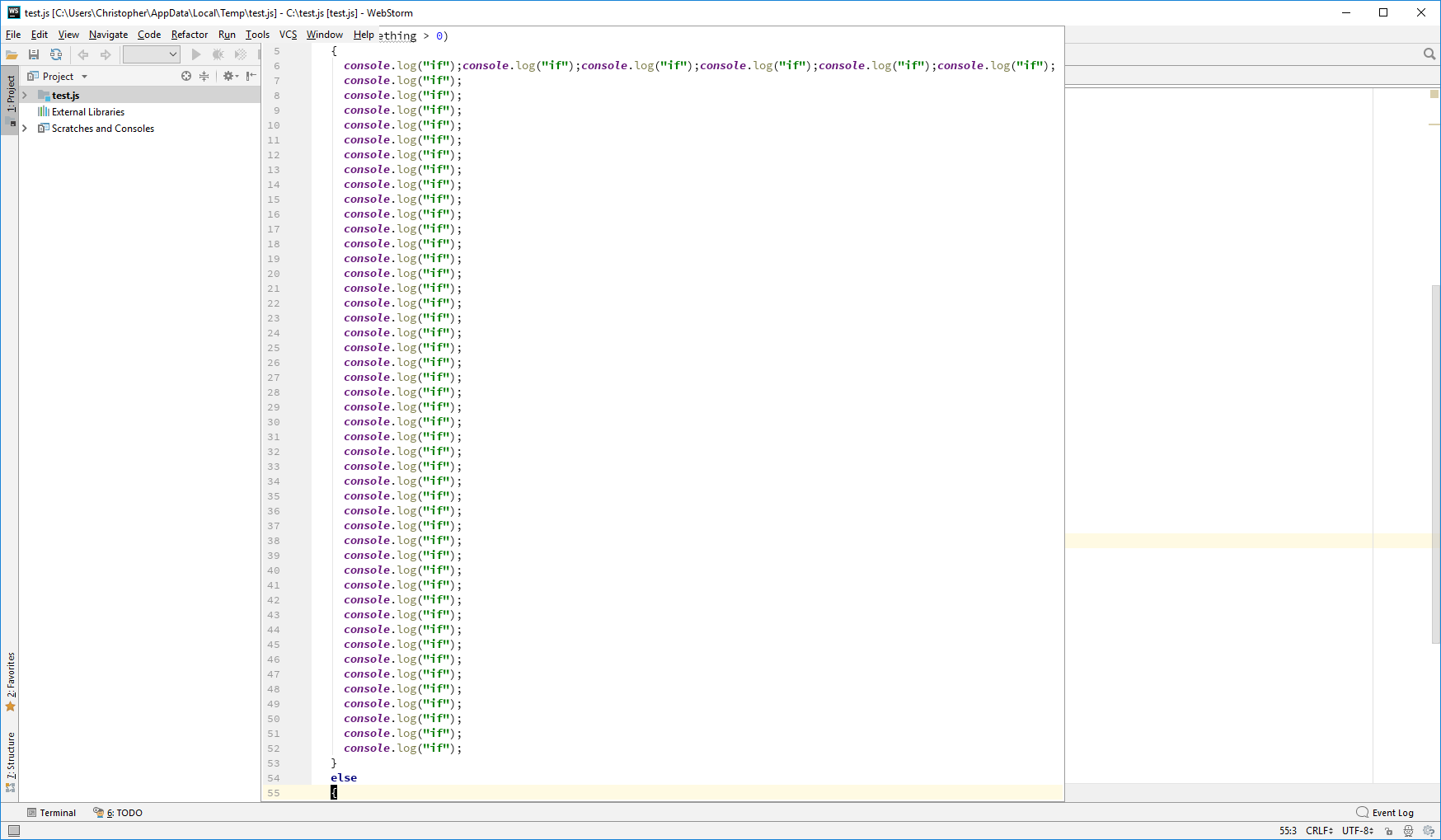
When you move your cursor over a closing brace, the opening brace statement is displayed in a little popup window - a very nice feature. However, with the latest version of Webstorm, I'm getting odd behavior when my cursor moves over the opening brace of an "else" statement. The popup contains the entire contents of the "if" statement, taking over the majority of the window for larger "if" statements and the window continues to be displayed as I move the cursor down the "else" block - sometimes it disappears for a line or two but then pops back up.
This is a nice feature:
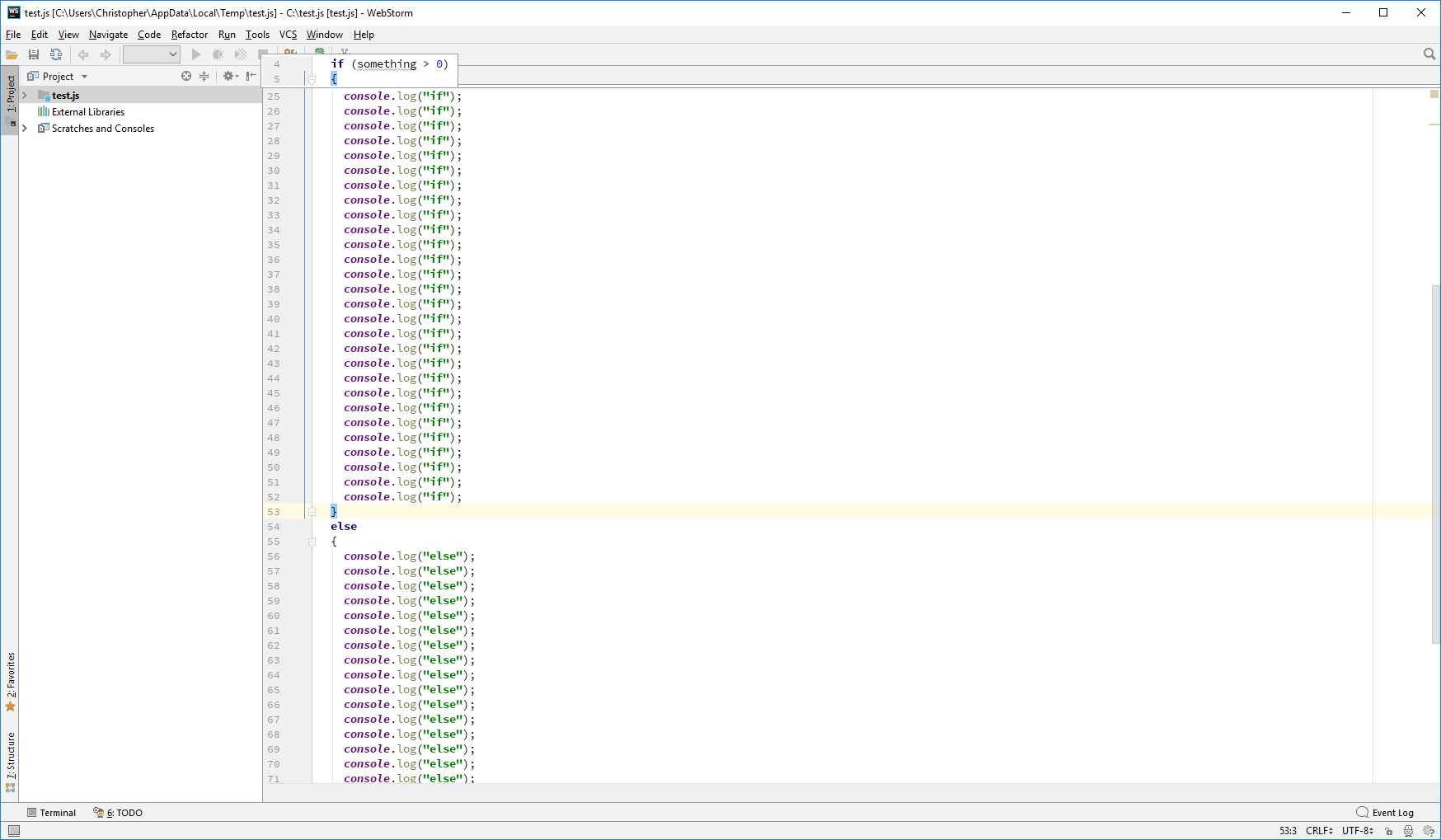
However, moving the cursor down 2 lines yields this user hostile display:
Please sign in to leave a comment.
can't recreate. Does it happen always? If yes, can you provide a test project plus the steps to reproduce the issue?
I have a test.js file I can provide but this doesn't allow me to attach it. Reproduce by opening the file in Webstorm, cursor down to the closing brace of the "if" statement - the popup with the "if" statement will display nicely if it is not on the screen. Cursor down 2 lines to the opening brace of the "else" statement, you should get the big popup window that is problematic.
Can't recreate - to me, the preview disappears as soon as I move the cursor down (using either mouse or keyboard) - it's only shown when the caret is positioned right after `}`...
looks similar to https://youtrack.jetbrains.com/issue/IDEA-188770 that is fixed in 2018.2
Which preview disappears for you? The "if" preview disappears for me as well, the "else" preview shouldn't ever even popup imho. If the "else" preview is suppose to be there, I can't fathom the logic behind showing a full screen preview.
I use ideavim so just to confirm it wasn't related, I disabled it and I can still reproduce the full screen preview on the opening brace of the "else". Without ideavim, the cursor needs to be on the left side of the opening brace. Don't use the mouse, use just the arrow keys.
Is there a setting to disable all of these popups? Although the "if" statement popup is nice to have, I'd rather not have it if it means keeping this ridiculous bug.
looks similar to https://youtrack.jetbrains.com/issue/IDEA-192288, please follow it for updates