Popups show on wrong space (while application in full screen) [Mac OS]
Answered

IntelliJ, when run in full screen on Mac OS, will display popups on the wrong space (the main desktop that is not the full screen desktop). This is quite frustrating as it comes up multiple times throughout my day. I'm behind a proxy so I'll often get the proxy "Accept" popups and they cause my screens to swap. Especially when starting up the application. This is made even worse when I last had 2+ projects open in different full screens and reopening IntelliJ causes all the projects to open with their own popups.
For context, I'm running three external displays + my built in laptop display. 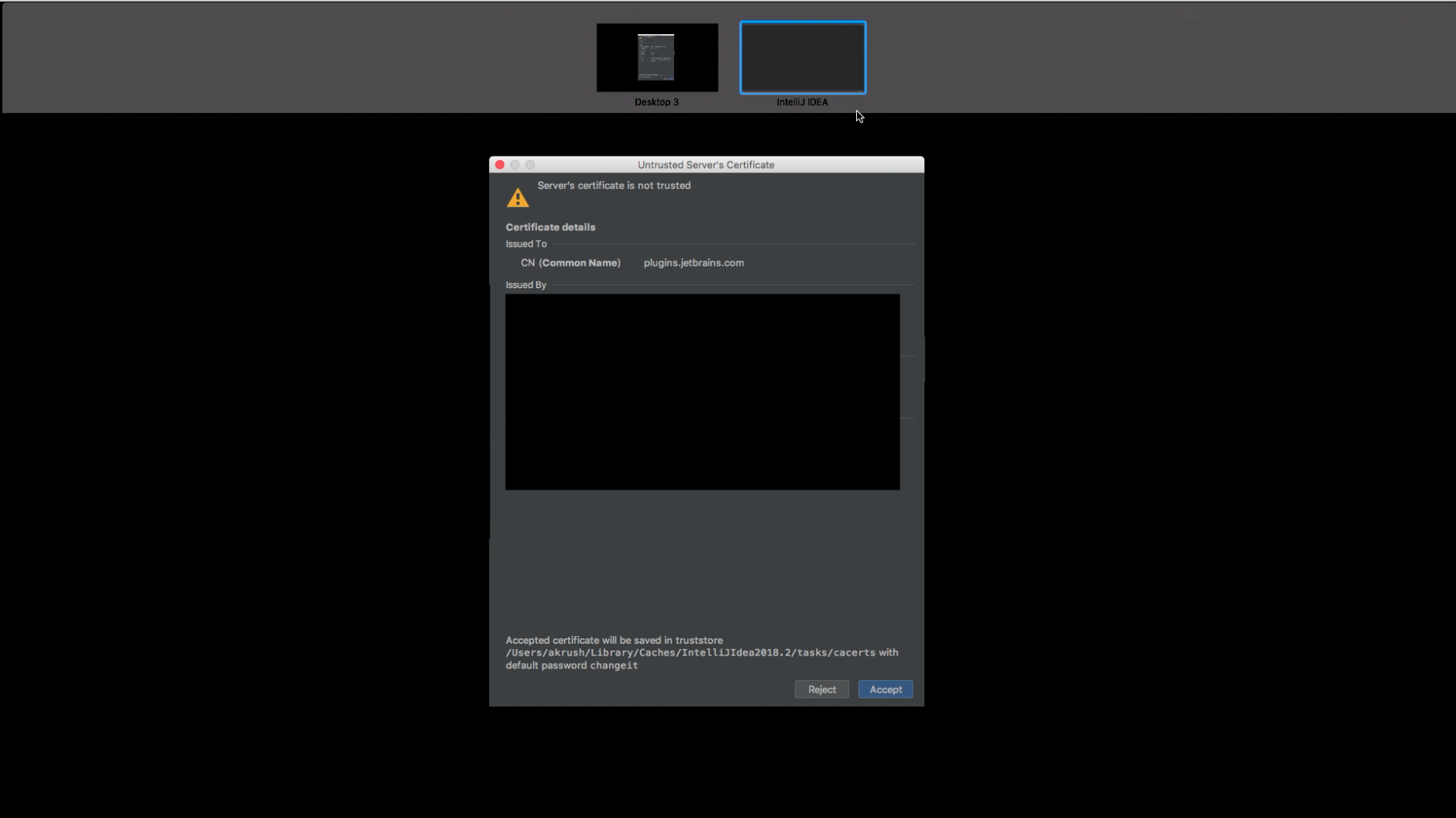
Please sign in to leave a comment.
we have a related problem, please follow https://youtrack.jetbrains.com/issue/IDEA-92338
Thanks Petr. I actually don't think these issues are related
Mine has to do with the prompts that display supplemental to the main app. This linked issue has to do with switching between open projects.
It might be. I experience the same bug and I am almost sure it's because the pop up make mac OS considère the other spaces as the new active one. So it switches. And also, I can't close popups if I am not on the right project resulting an infinit loop
@... there's a meta-issue for Mac OS switching workspaces when some dialog or popup is shown, please see and upvote IDEA-236027 - or any of the issues linked to it if you feel they're more close to what you're seeing.
It would be great if you describe the situation in more details:
- what popups exactly cause the switching?
- is the IDE in full screen or not when this happens?
- what IDE version is affected?
Please share this info here or under the corresponding ticket in the YouTrack. Thanks!
I have a quite similar issue. When IntelliJ is in fullscreen mode and the dialogue regarding an unknown certificate pops up, this dialouge will be shown on the main desktop. The screen then quickly switches from IntelliJ to the dialogue and back, all the time. It's quite hard to stop this whole process.
Until now I was only able to see the problem with the unknown certificate popup. I'm using the latest IntelliJ (2021.2.3). I can also provide a short video if needed. Thanks!
Arik Guggenheim what you are describing sounds like IDEA-247543, should have been fixed in 2021.3.
Do you have an opportunity to check that version? If you still face the issue there, please leave a comment in this ticket and share the screen recording demonstrating how this happens. Thank you!
Hi Ekaterina Valeeva, thanks for pointing out this issue. I'll try to check it with 2021.3 in the comming days and will report back.