IDEA 2018.3 -> Confusing project view after adding new module

I opened an older Gradle Java Project in Intellij IDEA after having updating IDEA to Community version 2018.3 and experienced following after adding a new module to the project

I didn't noticed this until after I had added the new module
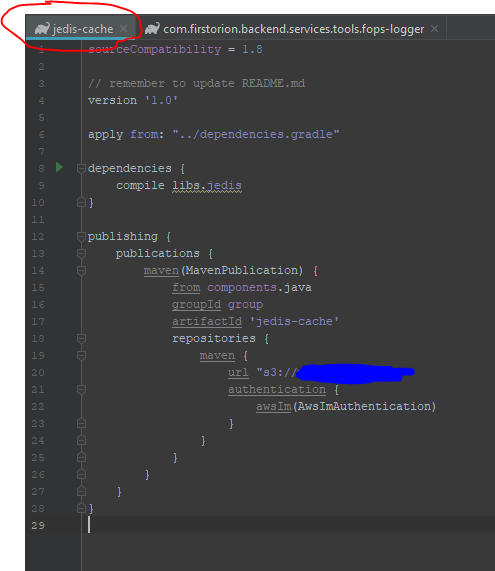
1) All old modules (added before v2018.3 update) have the original module look
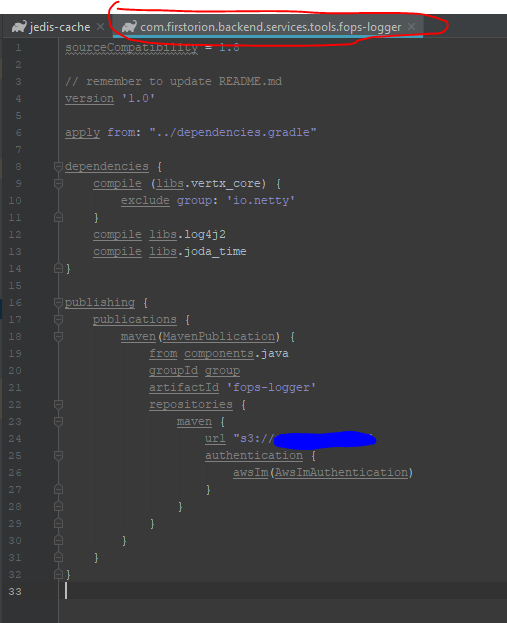
2) The new module look and name in file tab were different. And gradle formatting doesn't happen in new file
Example of project view:
 New module has package name attached?
The tab display and gradle formatting is not acting the same
New module "build.gradle" file
Old module "build.gradle" file
Close all down, etc. doesn't make any difference.
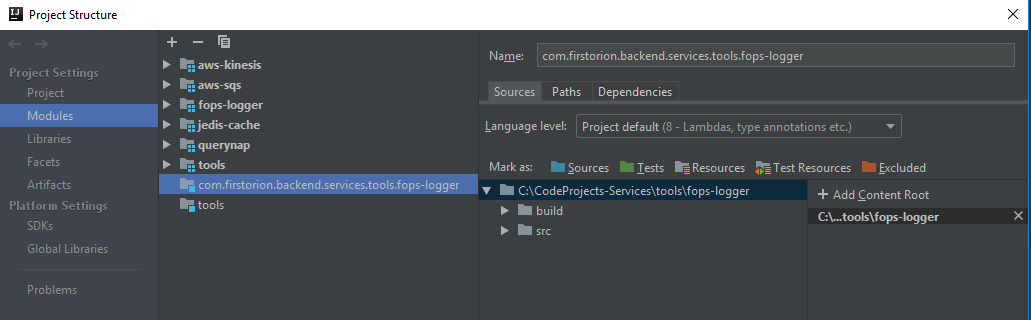
I did notice this difference in the Project Structure (I have not done any manipulation via this interface)
Please sign in to leave a comment.
Do you have this module listed in Gradle tool window?
There is now the using qualified names option for File | Settings | Build, Execution, Deployment | Build Tools | Gradle | Group modules settings, which wnen set makes IDE to take into account the prefixes in module names in addition Gradle
group.Does it help to switch this option to different value?See Group modules for some details about modules grouping in IDE and Creating a new Gradle project for Gradle Group modules options.
So, I did following:
I zipped the project folder. Deleted the old folder. Unzipped and loaded the project into IDEA again.
It corrected the view issues I saw, and told me that it had removed "tools" from Project Structure, and it looks like it removed the "tools" and "com.firstorion.backend.services.tools.fops-logger". And it was able to highlight the Gradle formatting for the build.gradle file for fops-logger.
Then I played around with your suggested Groupd modules setting and set it to "using explicit module groups" and I saw the tab naming different.
Let it as such and then added a new module as a test. And once again everything as described above happened. The Group module setting made no differrence. The whole package name is displayed in the project view and only for the new module, and the build.gradle file is not showing formatting coloring at all.
Can you provide a sample project? If not possible could you attach project configuration files (`.idea` project configuration sub-folder and module's `.iml` files) zipped and the build.gradle file for the module (just please first make sure the File | Settings | Build, Execution, Deployment | Build Tools | Gradle | Store generated project files externally option is disabled and refresh Gradle project).
Sorry, been a rather busy week. I'll provide the files as soon as I can
Sorry about the delay. Between busy work and holiday, I was not able to get back to this until today.
I had found that copy/zip the project to the side and delete the old folder and re-open the project from the side zip corrected the issue of loading the gradle file for the added module.
I tried again today by adding a new module in the latest version
IntelliJ IDEA 2018.3.2 (Community Edition)
Build #IC-183.4886.37, built on December 17, 2018
JRE: 1.8.0_152-release-1343-b26 amd64
JVM: OpenJDK 64-Bit Server VM by JetBrains s.r.o
Windows 10 10.0
And that seems to have corrected the issues I was seeing. The formatting of a new gradle module is correctly displayed and I do not see the extra indicator in the project list
This issue can be closed. Thank you for your time. I appreciate it.