Webstorm react-native run-android instead of react-native-cli start

I've read this but this is not my problem.
https://intellij-support.jetbrains.com/hc/en-us/community/posts/360000046264-Debugging-React-Native-in-WebStorm
I've added React Native configuration. When I press run or debug:
What I think:
- react-native run-android
What happened:
- react-native-cli start

Environment:
- Windows 10 1809
- Webstorm 2018.2
- An emulator has already connected through adb and working well with command react-native run-android
Configuration: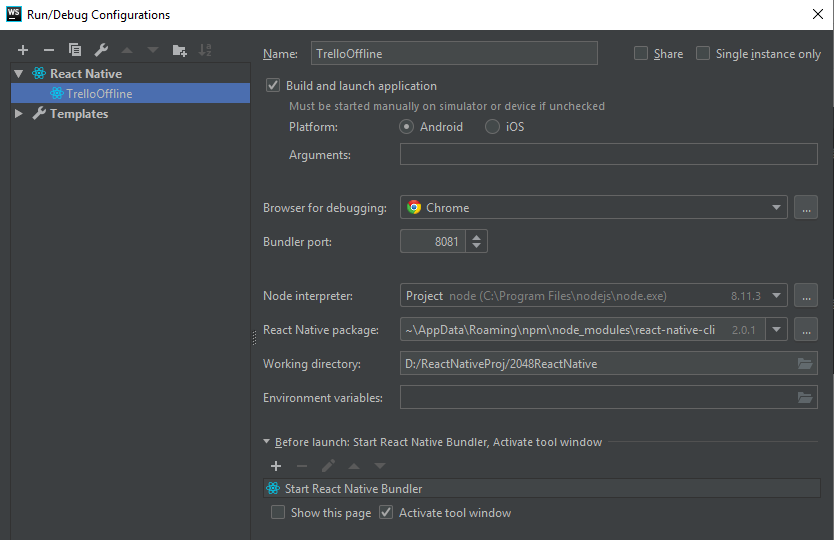
What is the right way for me to get it run/debug on the Webstorm IDE? Thank you.
Please sign in to leave a comment.
Using React Native configuration is the right way to start the application; it starts React Native bundler first using
react-native startcommand (as you have it added as Before Launch task in the React Native configuration) and then, once it's up and running, runs thereact-native run-iosorreact-native run-androidcommand, depending on the selected target platform. If you have the bundler already running, you can simply remove this step from the configuration (because you don’t need to run more than one bundler per app).