Cannot run tests by selecting multiple packages

Hello,
In the past I could run tests by selecting multiple packages in the Project view and with the right mouse click it will open the menu and show the option "Run all tests in package com.*".
Since the last update to IntelliJ Ultimate 2018.3 this does not work anymore.
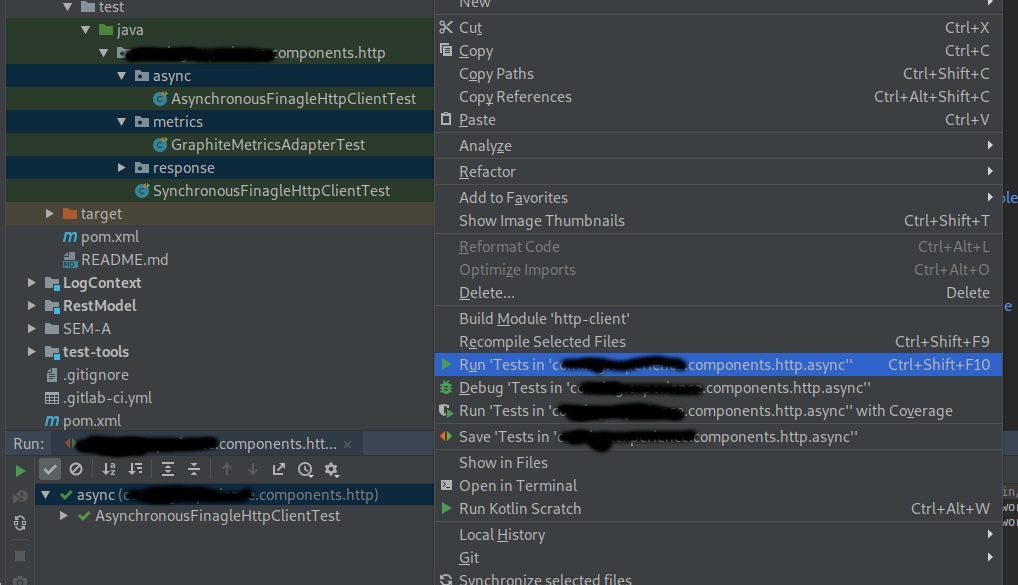
When I select multiple packages, and open the context menu(right mouse button) and I only see the option to run the first package, after running it will only run the first selected item.
I noticed that it will always run the package based on the order of selection. So if I would select package3 and then package1, it will execute only package3. If I select package1 first and then package3, it iwll run the contents of package1.
I am not sure if this is a IntelliJ issue or a Debian issue.
I am running Debian Buster with Wayland
IntelliJ Ultimate 2018.3
Please sign in to leave a comment.
Hello,
I see your requets on YouTrack: https://youtrack.jetbrains.com/issue/IDEA-205512. Please follow it for updates.