PhpStorm 2019.1 EAP not asking to Use PhpStorm2018.3 settings

Preamble: I did run 2019.1 EAP before, imported settings but did remove it due to issues.
I'm now trying from scratch again, I made sure there's no `PhpStorm2019.1` folder _anywhere_ in my OSX Mojave folder:
~ $ find . -type f|grep PhpStorm2019
~ $
However, when I now download the latest version I don't get asked to automatically use the preferences from my previous installation.
I do get a file dialog to pick a folder but I don't know which one I should pick exactly to have the same kind of compatibility (all plugins, settings, etc.) ?
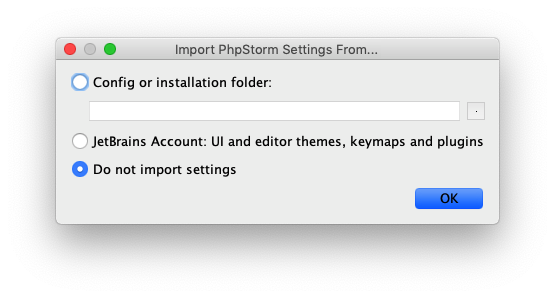
Should I just provide `~/Library/Preferences/PhpStorm2018.3/`, would that be the correct one?
thanks!
Please sign in to leave a comment.
Should've been fixed in the today's EAP: https://youtrack.jetbrains.com/issue/IDEA-205967
It would, yes. Sorry for the inconvenience!
Thanks, this fixed it for me!