Find in Path and navigate file both broke in 2019.1

After upgrading to latest version (2019.1), the finding function seems broke, (it cannot seem to detect certain folders)
In my case, it can detect `sc-report` folder and all the files inside the folder.

But cannot detect `sc-template-editor` folder
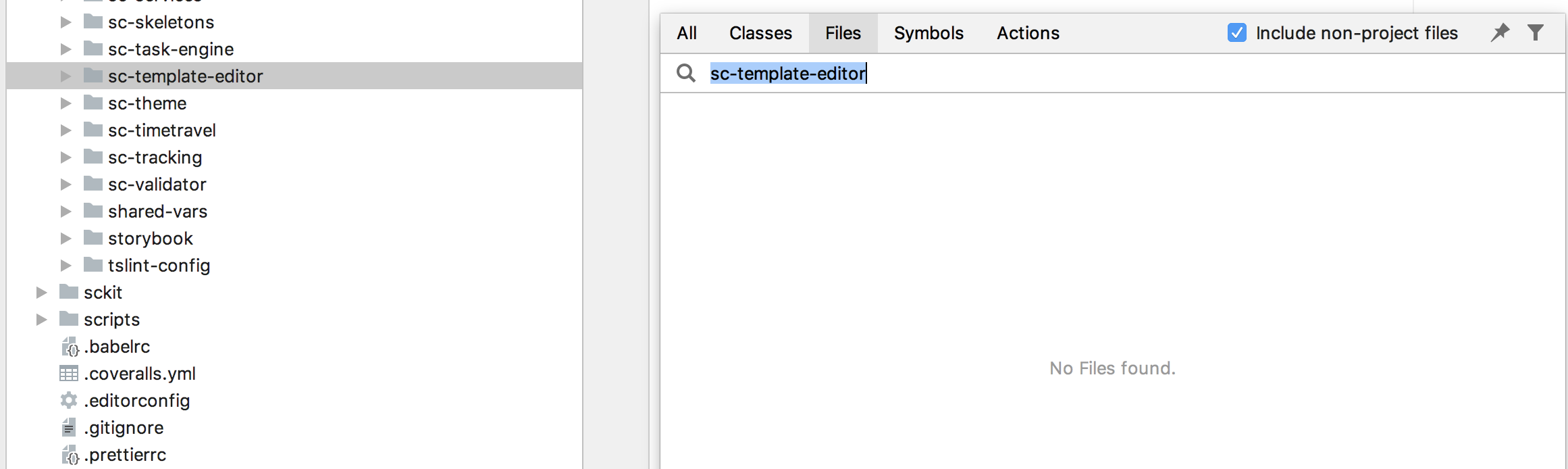
Cannot detect it in `find in path` as well.
The function works fine with 2018.2 version as following:

so i have to downgrade it, which is painful, any idea of why this happens?
Please sign in to leave a comment.
Did you try invalidating caches (File | Invalidate caches, Invalidate and Restart)?
Yes, I did two times, but no luck with that.
Does Navigate | File work for other subfolders in the same folder (i.e. with `sc-template-editor` folder siblings)? Also, does renaming the folder change anything? is the folder included in project?
Yes, as i showed in the first post, it works for `sc-report`. which is the sibling of the `sc-template-editor` folder.
Interesting enough, the renaming works! I've tried to rename it to something else, and it can be detected after. then i renamed it back to `sc-template-editor` and all the folder and its children can be detected since.
I think it's ok for a workaround. but still, i need to do it for all the folders that with this problem. any idea of why this happens?
looks like the problem with broken indexes, but, according to you, caches invalidation doesn't help...