Unable to set Recent Locations popup background color
Answered

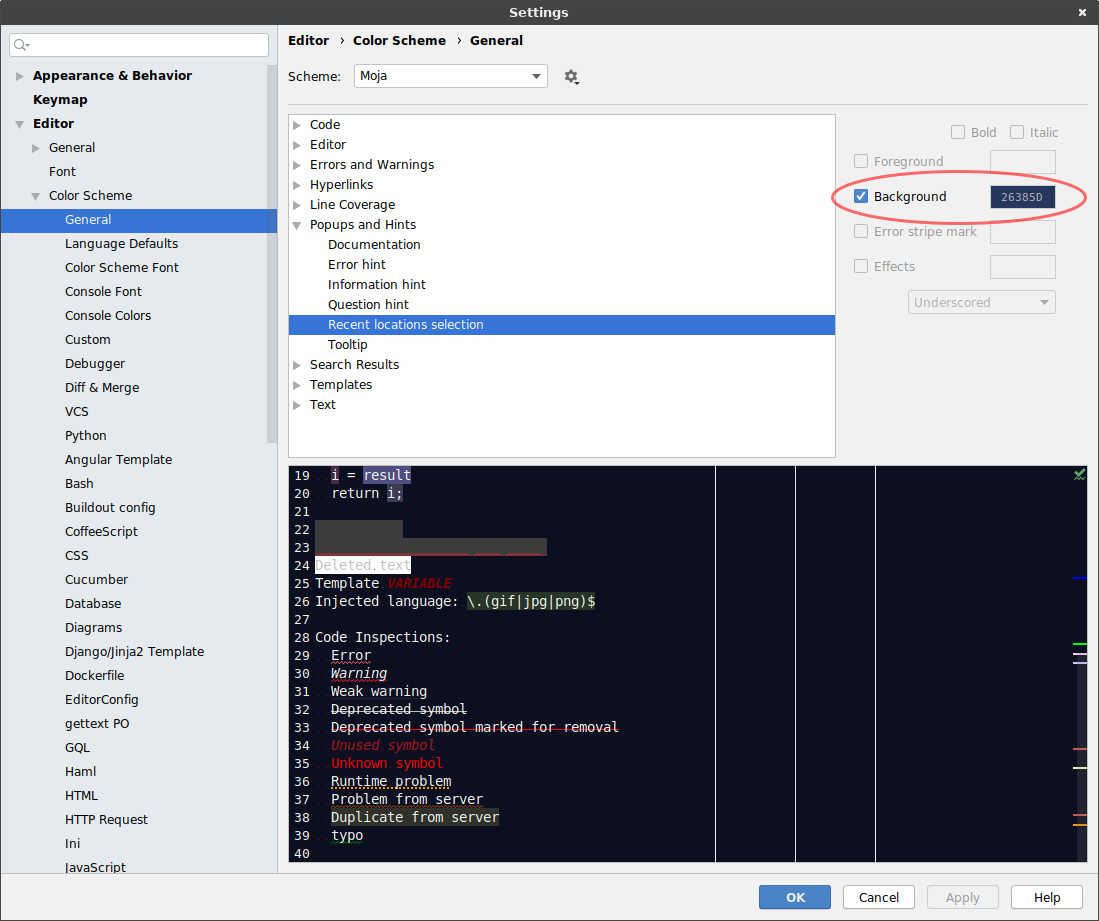
I'm unable to set Recent Locations popup background color. Either it's not working, or I'm setting the wrong parameter.
My settings: https://cloud.ekirin.com/index.php/s/c7wTArkStYzLB5T
Actual Recent Locations popup:
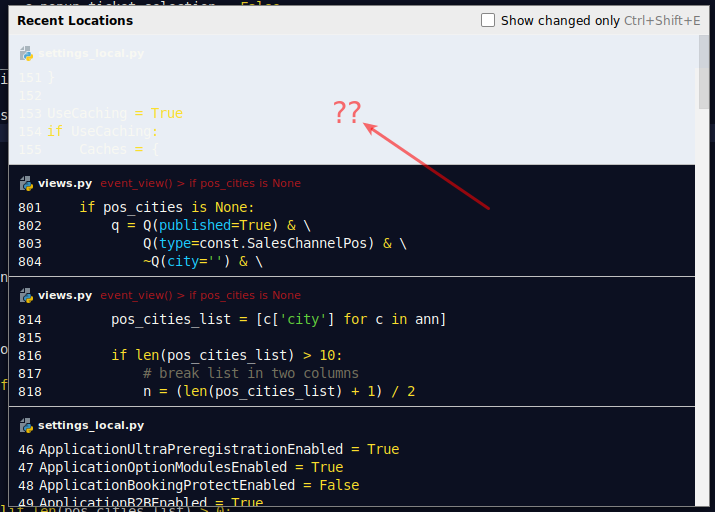
Please advise what to do, this background color renders dialog unusable.
Thank you.
Please sign in to leave a comment.
Hi, which PyCharm version do you use? Can't reproduce locally, unfortunately. Could you please share the whole color scheme?
I'm using latest version 2019.1.2. Here is the link to my exported color scheme: https://cloud.ekirin.com/index.php/s/LEYy9qLBaj9ZHpJ
Thanks for help.
Thank you, no luck on my side though. Do you use any UI-changing custom plugin? Perhaps some of them causing the problem.
Absolutelly nothing which could mess with the appearance. In fact, I have no additional PyCharm plugins installed at all.
I'm running it on fresh install of Ubuntu Budgie on my notebook and Linux Mint on desktop PC. Same issue on both of instances.
Managed to reproduce it, thank you. I created a ticket in our bug tracker https://youtrack.jetbrains.com/issue/IDEA-215012 Please follow it for updates.
Great, thank you. Is there any workaround until it's fixed?
Ok, no need to get workaround for this. I guess it's the problem with combination with light scheme for UI and dark scheme for editor.
Thanks for the help anyway.