Default changelist shows a lot of unchanged files and directories
Answered

Hello,
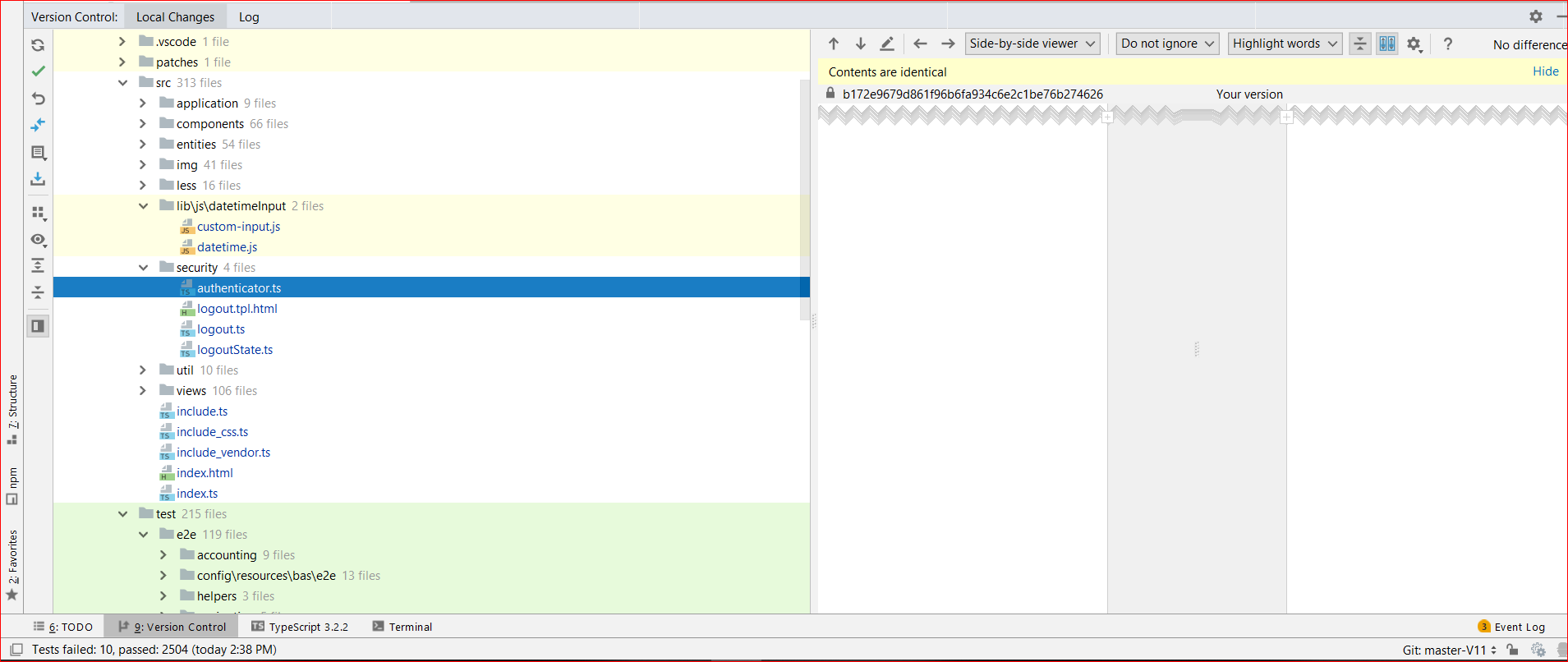
In Local Changes tab, the Default change list shows a lot of files and directories. Ideally just expect to the see the files that are modified similar to what I see in "git status".
Webstorm Version:
WebStorm 2018.2.2
Build #WS-182.4129.32, built on August 21, 2018
JRE: 1.8.0_152-release-1248-b8 amd64
JVM: OpenJDK 64-Bit Server VM by JetBrains s.r.o
Windows 10 10.0
Git on linux: git version 2.21.0
Git on Window: git version 2.16.2.windows.1
As you can see in the screenshot below, it seems all the files are being shown including the ones that are not modified.
How can I restrict the change list to show me only the set of modified files similar to git status?
Please sign in to leave a comment.
Does click Refresh in the Local Changes toolbar make any difference?
> How can I restrict the change list to show me only the set of modified files similar to git status?
IDE gets the list of modified files from git. it is not possible to restrict the list - if git executable IDE uses returns the file as modified, it is listed in the Local changes. Note that different git clients can return different results, so it looks like git client IDE uses considers the files modified. The Content Identical does not mean the file is not modified. There might be a permissions issue, diff in the executable bit, line endings changes.
> Git on linux: git version 2.21.0 Git on Window: git version 2.16.2.windows.1
Do you mean git in WSL? Do you run git status there?
Which git is used in IDE? Doesn't using the same git as the IDE uses to list the same files as modified?
Took me an hour to fix this changes but this was caused due to file mode changes in git.
Intellij uses windows git and if you use a cygwin/wsl git it will have file mode changes on. which means that file permissions are being tracked.
This is the reason why there is no file content difference but git still shows as file changed.
the fix is easy. just disable file mode in git
git config --global core.fileMode falsegit config core.fileMode false