Tools -> Deployment can't save username and password
Answered

I often use Tools -> Deployment to sync code from local to remote host. once I use the version 2018.2. it works ok.
when I upgrade intellij idea to 2019.1 , I rename the directory C:\Users\$username\.IntelliJIdea2018.2 to .IntelliJIdea2019.1, because I don't want config idea after the upgrade.
after upgrade, I found that Tools -> Deployment can't save username or password any more when idea restart, I had search google and didn't solve it.

Please sign in to leave a comment.
Could you please check "File | Settings | Appearance & Behavior | System Settings | Passwords" section?
Is there any chance that you have the "In KeePass" radio button inactive?
@Vasiliy Yur Thanks a lot, It works
1. Clear the password
2. select 'In Keepass'
3. apply
Thanks for the confirmation, glad to know that things are working fine now.
Have a fantastic day!
I could not get in for love nor money. It required my "master password". An on-screen message said "Clear" would reset the DB. I entered " " and Clear and nothing work. Naming a new DB works fine.
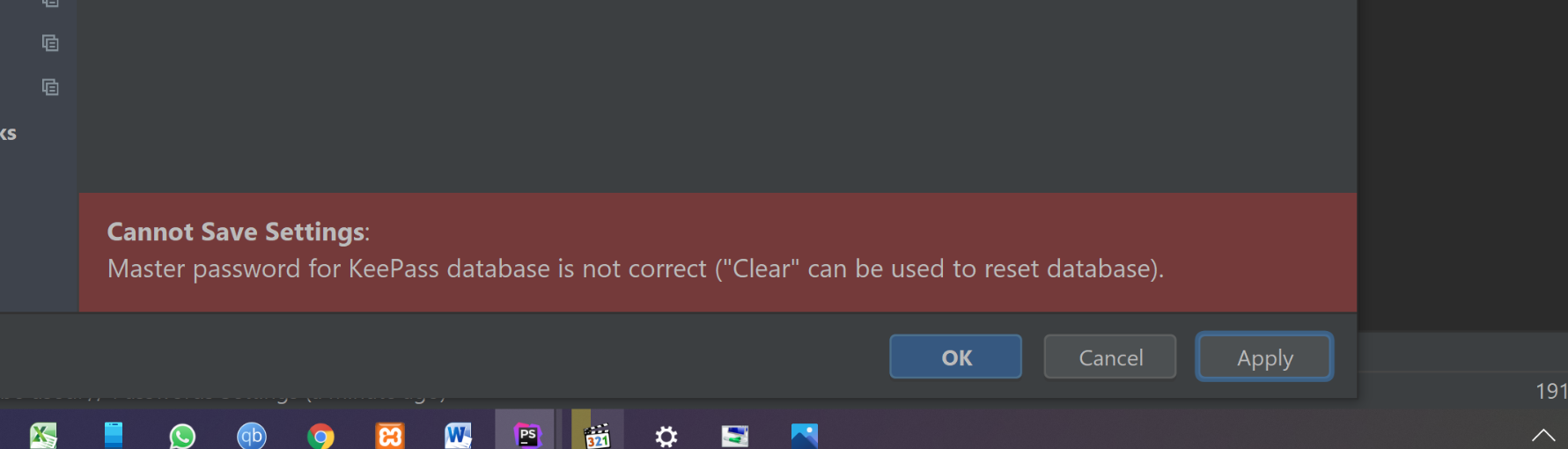
BTW I now see "Clear" is a reference to a hidden setting option.
The on screen message is, as we say in the UK, as clear as mud! (Perhaps it could be rewritten.)
But thanks for this post which got me there in the end.
ATB Steve