[Spring Boot] Resources directory not available in out path. Application.yml and properties files are not found.

In my Spring boot application, I have the directory structure as below:

As one can see, the application.properties and application.yml files are in the resources directory. which is marked as Resources Root. The project structure is as below:

Now when I run the spring boot application, in the out directory, I cannot find any resources. Because of which, the properties in application.yml and application.properties are not being loaded.
I get the following error:
java.io.FileNotFoundException: class path resource [application.yml] cannot be opened because it does not exist
Out directory structure:
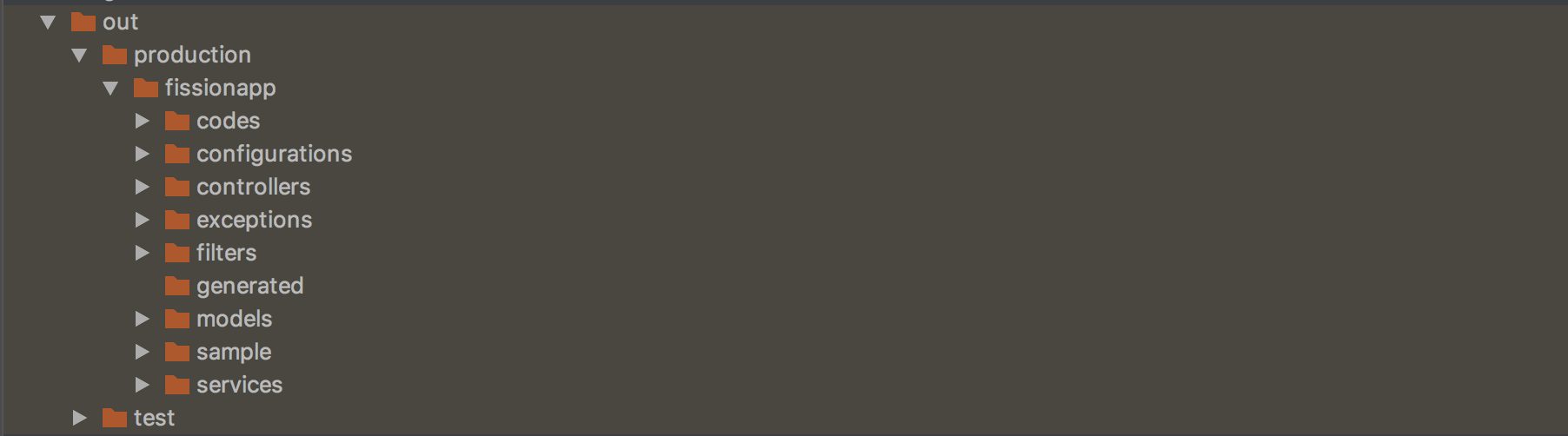
Do I need to set something else up? What am I missing? I have tried for help elsewhere but to no avail. Please help me resolve this. Thanks in advance.
Please sign in to leave a comment.
What IDE version do you use?
How do you define resources directory in Gradle configuration?
What result you see when building by Gradle from command line?
In latest IDE versions you can switch to a Gradle builder and runner in Settings (Preferences on macOS) | Build, Execution, Deployment | Build Tools | Gradle | Build and run using = Gradle - to get in IDE the exact same build/run behavior as in command line Gradle.
@Andrey
I use 2018.1.2 Ultimate edition.
Gradle configuration for sources:
Everything works fine when built via command line.
Issue occurs only when I put the Run/Debug configuration as Spring Boot app.
Don't know if I can do it via Gradle builder & runner in my version.
It Custom source sets (which you are using) will not work without File | Settings | Build, Execution, Deployment | Build Tools | Gradle | Create separate module per source set option enabled. Please enable it.
Also it is better to use latest IDE version - Gradle support has been improved a lot there.