How do I stop the IDE from doing this?
Answered

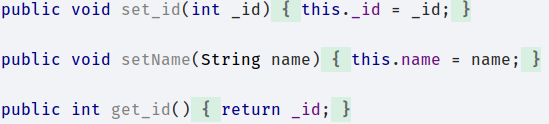
It keeps doing so automatically, I'm aware it doesn't modify the code, I just find it a tad annoying...
How do I disable such feature?
Please sign in to leave a comment.
May you clarify the exact behavior which seems to be annoying?
Am I right that IntelliJ IDEA keeps simple methods in one line after reformatting? You can disable it under Preferences | Editor | Code Style | Java > Wrapping and Braces > Keep when reformatting:
https://i.imgur.com/FNjrmXj.png
Thank you very much :)