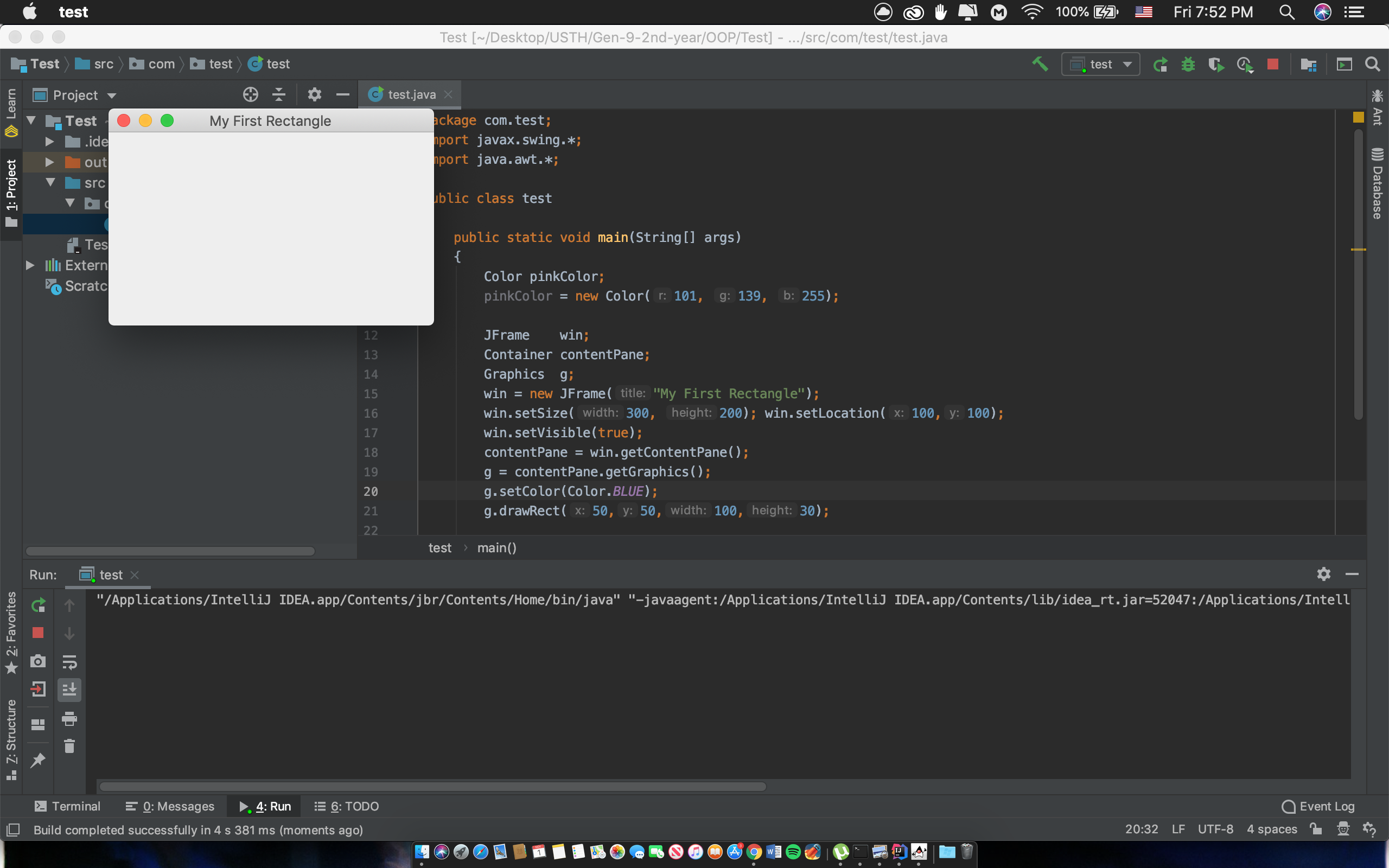
Drawing on Intelles shows a blank window
Answered

I'm having some problems while trying to draw a rectangle.
The window showing the rectangle shape suppose to show the rectangle, but instead it is only a blank window. Can somebody help me how to fix this ?
I'm using Intellij 2019.2.4 on macOS Mojave.
Here are the code ( I copy from a book so I believe that the code is true and has nothing to do with the blank window):
package com.test;
import javax.swing.*;
import java.awt.*;

public class test
{
    public static void main(String[] args)
    {
        Color pinkColor;
        pinkColor = new Color(101, 139, 255);

        JFrame    win;
        Container contentPane;
        Graphics  g;
        win = new JFrame("My First Rectangle");
        win.setSize(300, 200); win.setLocation(100,100);
        win.setVisible(true);
        contentPane = win.getContentPane();
        g = contentPane.getGraphics();
        g.setColor(Color.BLUE);
        g.drawRect(50,50,100,30);

    }
}
Please sign in to leave a comment.
I think it is better to post this question on java-related forums or stackoverflow as this forum is for issues/questions related to IntelliJ IDEA IDE usage.