Not seeing how to disable matched brace preview at top

I noticed if I click on an end brace, if the matching opening brace is above the top of the visible file lines, a box will pop up above the tabs showing the line(s) of code for the opening brace.
However, if it's a multi-line box, it can obscure the file tabs and other things, and the only way to make it disappear is to click another area.
I'd prefer to have the editor show me the matching brace on demand (when I hit a keyboard shortcut, which I already know how to do), but I'm not seeing in settings how to disable this pop-up box.
I looked in Preferences [Mac] > Editor > General, but the section that has the matching brace highlight doesn't mention the box...
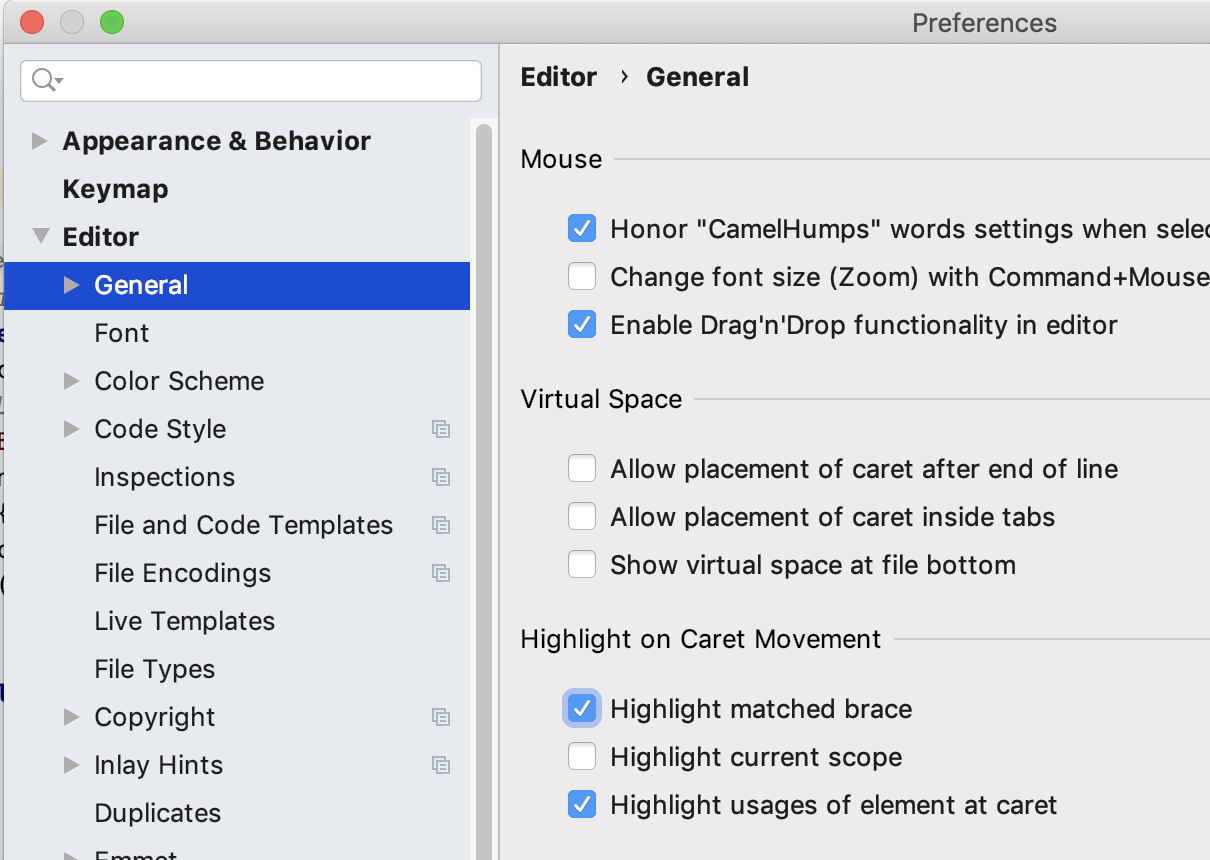
So where is the setting to disable the box?
Please sign in to leave a comment.
There's no such setting unfortunately. Please vote/comment https://youtrack.jetbrains.com/issue/IDEA-136915
When I see obstructive or cumbersome or lacking features having single-digit votes, I tend to think the developers will not consider them important enough to work on.
I wonder what the actual number of affected/annoyed/obstructed users there are for these issues who just don't vote or don't realize they can or should, and what number of votes the developers consider enough to fix the issue.
There isn't such thing as "enough-not enough" votes, developers are considering multiple factors.
Can't tell for the developers on the rest unfortunately.
Mine just stopped doing it... maybe it's per project. I'm just not sure why it was doing it before and not now.