Can't find PHP Executable when using a remote CLI Interpreter from docker-compose

Hello,
I was following this guide on Configuring Remote PHP Interpreters and I'm having some problems when it comes to finding the PHP executable inside my docker container.
These are my settings:


I've also tried with the default "php" path under "PHP executable" and got the same result :/
And when I go the the Services tab and check the files of the container, I can see that php is there:

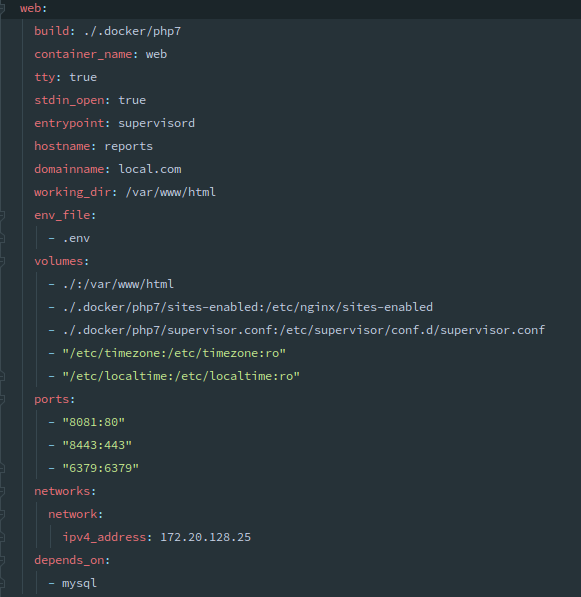
And this is my docker-compose.yaml:
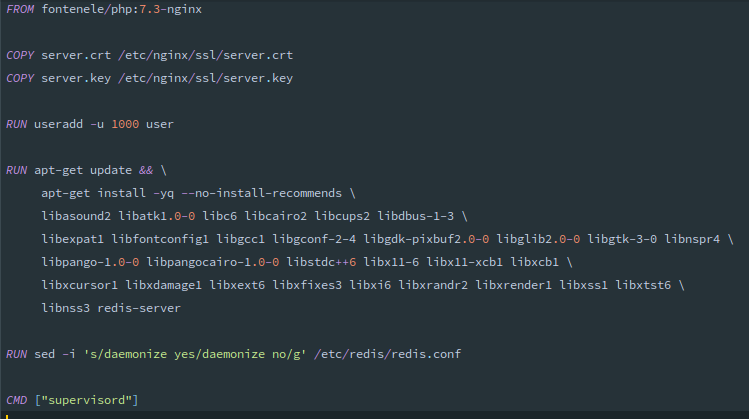
And the Dockerfile that its building:
And If I add the remote interpreter from Docker (instead of docker-compose), it works normally :(
What am I missing here?
Using PhpStorm 2019.3
Please sign in to leave a comment.
You have a static IP mapping that won't let us run an additional container to get info from there.
What if you ignore the message you get in Languages & Frameworks | PHP | [...], set the path and the mappings manually and then just try run some simple PHP script with the remote interpreter, would that work?
https://youtrack.jetbrains.com/issue/WI-48903