How do I remove stale Docker "configurations"? Keith Davis Created January 24, 2020 21:30 I don't even know what these are called, but how do I remove these?

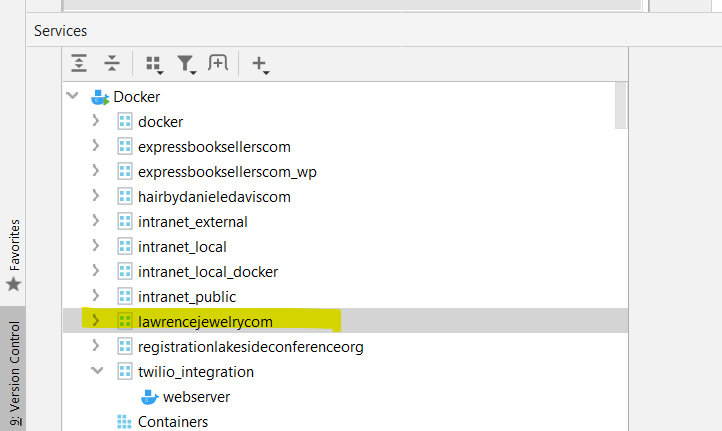
Those are docker-compose services PyCharm reads from docker-compose.yml configuration. You should be able to remove them by invoking the down command:
It is the equivalent of issuing `docker-compose down` command in the terminal from where the configuration file is located.
This is a service:
This is something else created by the IDE. docker down does not remove these:
You need to expand down to the container and invoke Delete against it.
Make sure that you don't have showing stopped containers disabled behind the Filter icon.
"Make sure that you don't have showing stopped containers disabled behind the Filter icon."
Yea, that was the issue. Thanks.
Hello,
i have similar issue, using intellij ultimate, and this approach didn't work.
there is an open issue: https://youtrack.jetbrains.com/issue/IDEA-285496/DockerCompose.-Cant-delete-docker-compose-node-which-contains-only-default-network
Hello!
a quick update, if anyone els still facing those unremovable compose items, i did this on latest intellij ultimate and it went well:
select compose project and select "jump to source" option
then on compose file uncheck this floating button top left inside editor:
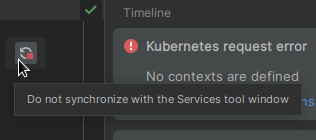
after that the thing vanished!
Thank you, Leonardo. That did the trick for me!
Thank you Leonardo, I have been looking at this ghost docker-compose for many months now.