PHP debugger not working after tried everything and everything and everything.. I`m really stuck......

I`m trying to debug php(Laravel) application using xdebug on remote server. My workflow:
I have remote server where i run php code. Its in the docker container.
I use docker compose so here is Dockerfile section related to xdebug installing.
FROM php:7.3-fpm
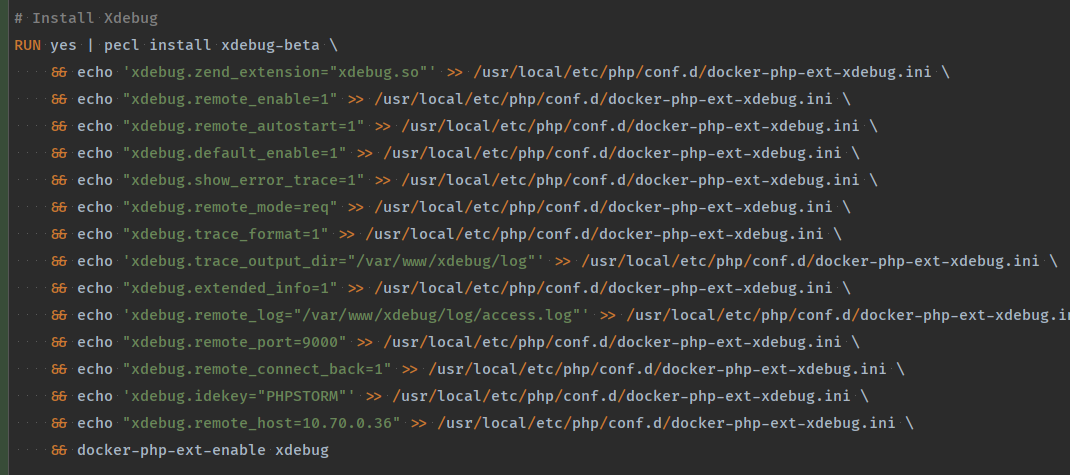
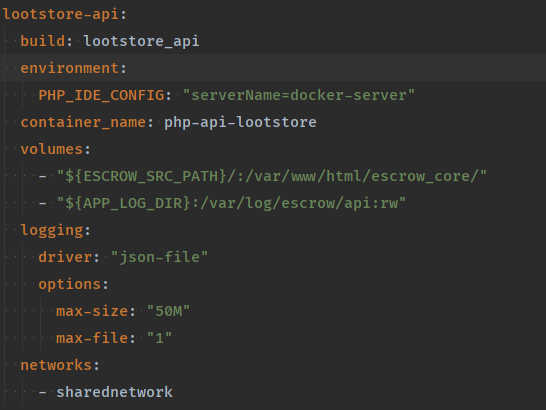
and my docker-compose service for php-fpm
My debug configuration 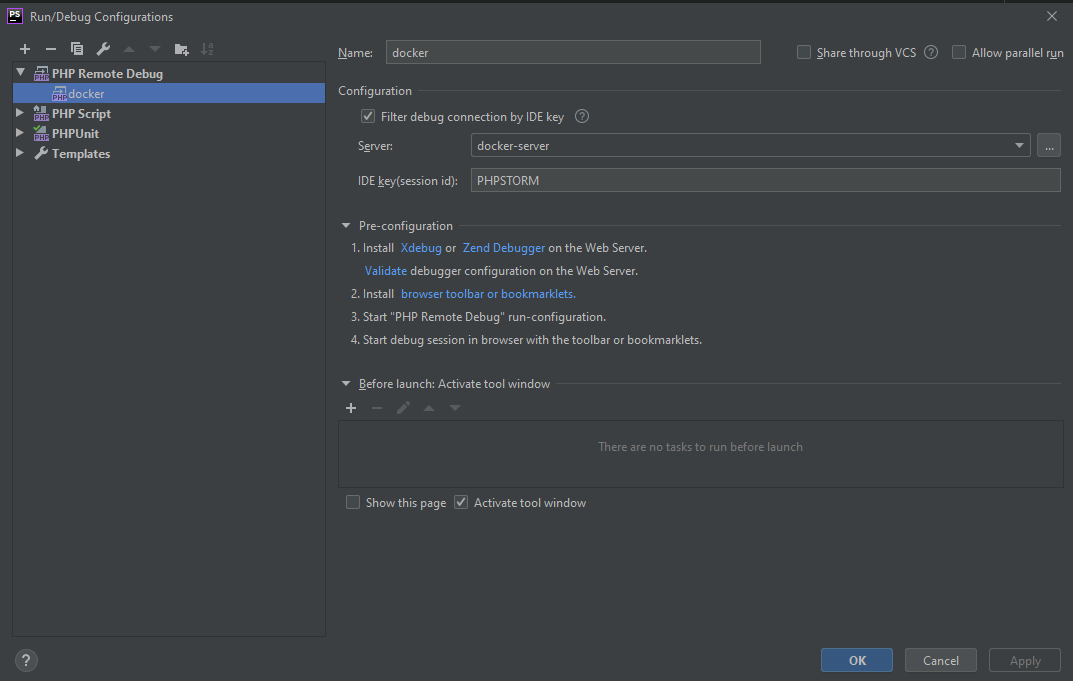
My docker-server configuration
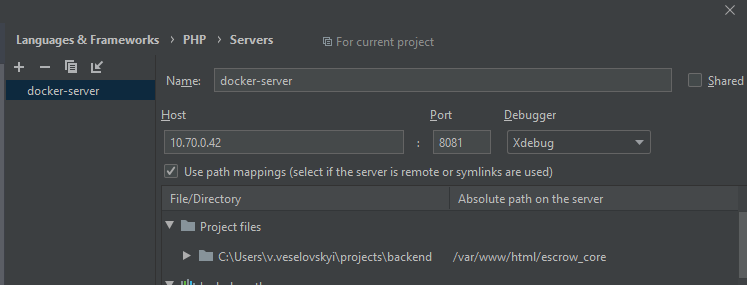
I also set up the php intepreteur connection to validate xdebug
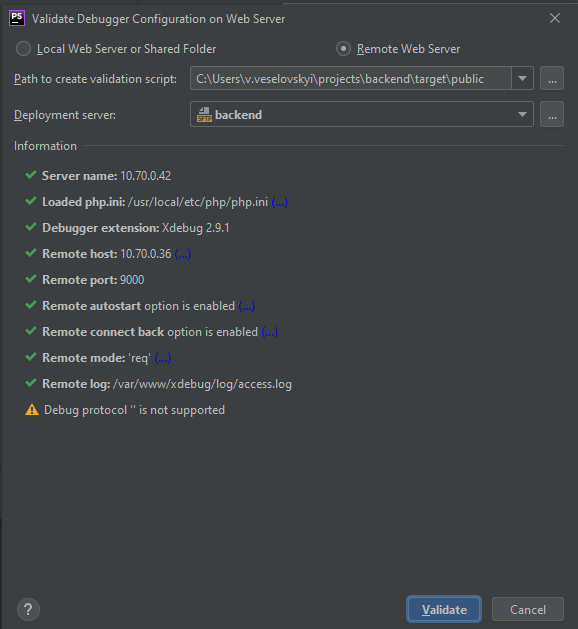
Can ayone help me. I dont know how to investigate this issue anymore. I also tried to connect from my 10.70.0.42 host to my mashine on port 9000 where i write my code with PHPStorm IDE and connection is working
What i do is i run my docker debug configuration in php storm. curl http://10.70.0.42?XDEBUG_SESSION_START=PHPSTORM and it does not stop on break points
I have activated listenning debug connections

I use PHPStorm on windows, my remote mashine is Ubuntu
Please sign in to leave a comment.
First of all, please don't use run/debug configurations for web debugging, the zero-configuration method is so much more convenient: https://www.jetbrains.com/help/phpstorm/zero-configuration-debugging.html
Then, please disable xdebug.remote_connect_back because there's no way the container would figure out where the HTTP request actually came from.
You need to set such an xdebug.remote_host so that the container could connect to the Windows machine.
As far as I understand, you tried to connect from the Linux machine which is a wrong test.
Having the Xdebug remote log configured in the container might help you a lot on this: https://intellij-support.jetbrains.com/hc/en-us/articles/206544819-How-to-collect-remote-log-for-XDebug