Web-App Root Configuration

I'm trying to get my Web app using the built-in server. I've configured it as a Local folder
Connection:
Folder: c:\dev\WebApp\training
Web server URL: http://localhost:63342\training
Mappings:
Local path: C:\dev\projects\training\web\
Deployment path: \
Web path: \
I have an index file in the ..\web\ file that when I go to http://localhost:63342/training/index.html I'm getting a not found, for some reason it is found at http://localhost:63342/training/web/index.html
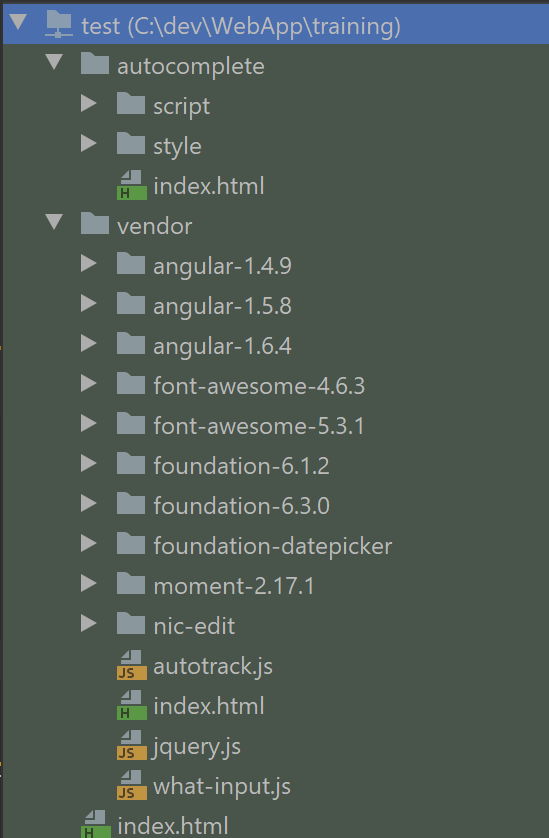
Examining the remote host it appears that everything is deployed at the correct level, no idea how the extra 'web' level is being injected or more importantly how to remove it. The other oddity is the autocomplete index is working fine and the vendor isn't. http://localhost:63342/training/autocomplete/index.html is OK, http://localhost:63342/training/vendor/index.html is Not Found
Please sign in to leave a comment.
>I'm trying to get my Web app using the built-in server. I've configured it as a Local folder
this is not supposed to work; built-in web server can't be configured in Preferences | Build, Execution, Deployment | Deployment. It always serves files from your project folder, and web server URL is http://localhost:63342/<project_name>
Just open C:\dev\WebApp\training as a project - your files will be available at http://localhost:63342/training: C:\dev\WebApp\training\vendor\index.html will be served as http://localhost:63342/training/vendor/index.html , etc.
Appears it was working despite that, it does allow it to deploy to the specified folder but you're correct that it runs from the project folder. Odd that i can't remove the project level in mapping, ok not odd but a royal pain that I can't match my server path with this local server. Have things that are on the root, so can't just change them to have an extra level, that would break other things. Guess i'm stuck running Tomcat since i can map that exactly how it works on the live servers. Probably is a way but this isn't my strong suit, thanks.