Pycharm Professional 2020.1 - authentication error updating modules

Has anyone else gotten these errors? and what was the fix for you?
This occurs after selection modules to upgrade within a project settings, python interpreter and just loops requesting SU permissions. Another error during the upgrade is shown below this popup, that is reporting the same error in with a different module.
At the bottom is showing the result of using the displayed pip on the error in a terminal. So no issues manually updating them. I had these errors initially using the community version of 2019.3 before and after purchasing a license.
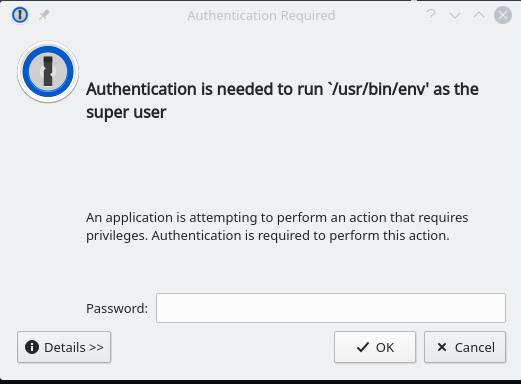
Note:
Event log displayed some packages installed without error with others failing with the same details .. authentication error.
2nd error:

Installs fine on the command line shown in the error and then followed up with a sudo -H command that validated the system modules had been updated also
$ sudo pip3 install -U blessed==1.17.4
[sudo] password for dglenn:
WARNING: The directory '/home/dglenn/.cache/pip' or its parent directory is not owned or is not writable by the current user. The cache has been disabled. Check
the permissions and owner of that directory. If executing pip with sudo, you may want sudo's -H flag.
Collecting blessed==1.17.4
Downloading blessed-1.17.4-py2.py3-none-any.whl (52 kB)
|████████████████████████████████| 52 kB 1.0 MB/s
Requirement already satisfied, skipping upgrade: six>=1.9.0 in ./.local/lib/python3.6/site-packages (from blessed==1.17.4) (1.14.0)
Requirement already satisfied, skipping upgrade: wcwidth>=0.1.4 in ./.local/lib/python3.6/site-packages (from blessed==1.17.4) (0.1.8)
Installing collected packages: blessed
Attempting uninstall: blessed
Found existing installation: blessed 1.17.2
Uninstalling blessed-1.17.2:
Successfully uninstalled blessed-1.17.2
Successfully installed blessed-1.17.4
Please sign in to leave a comment.