How to get position and size of project editor?
Answered

How can I get the position and size of the whole editor? (no matter how many files are opened I need the whole area):
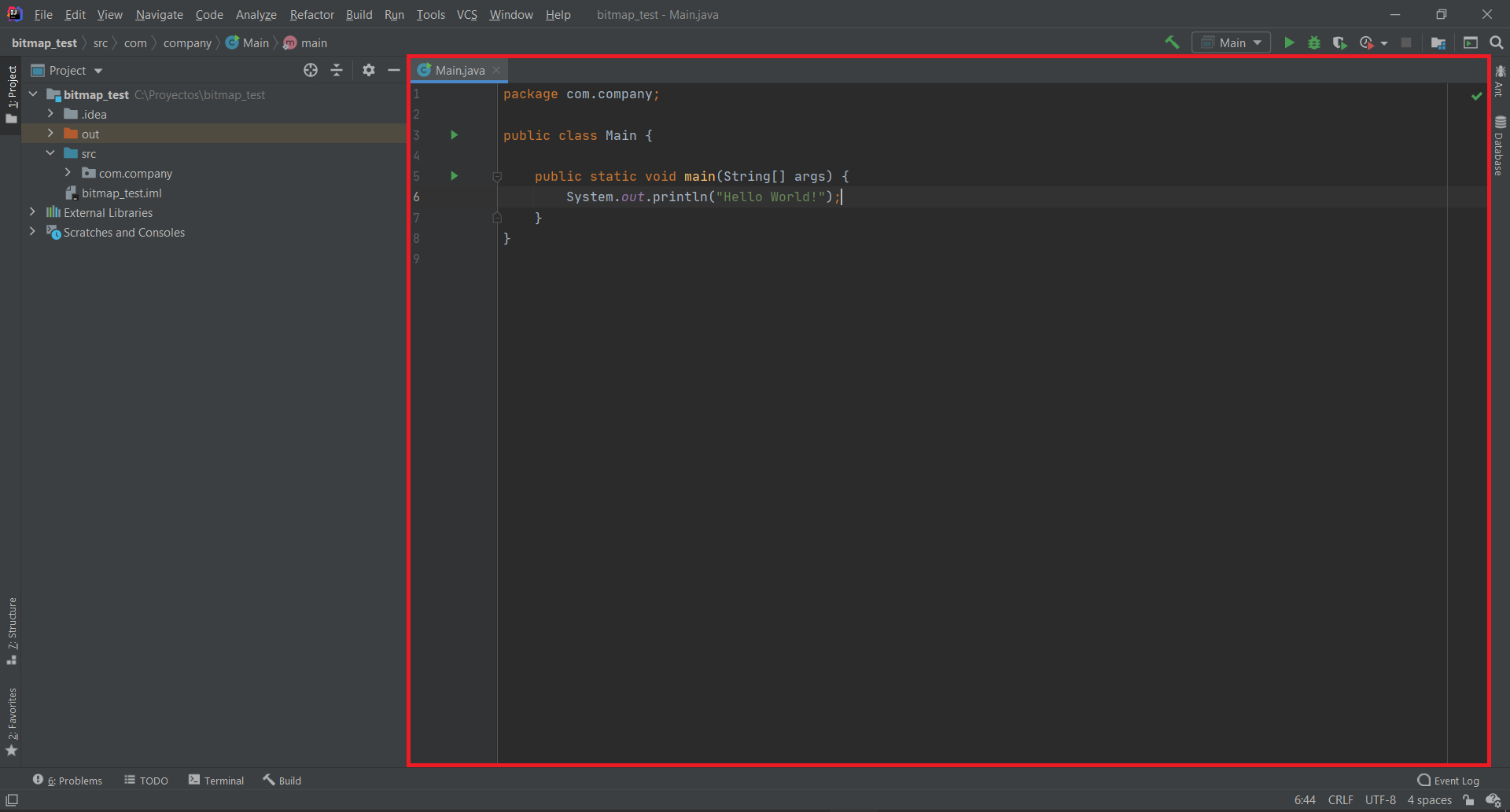
This I how I get the current editor and then I apply a VisibleAreaListener:
MyVisibleAreaListener visibleAreaChangedListener = new MyVisibleAreaListener();

EditorFactory.getInstance().getEventMulticaster().addVisibleAreaListener(visibleAreaChangedListener, new Disposable() {
  @Override
  public void dispose() {
    // TODO
  }
});
And the listener:
public class MyVisibleAreaListener implements VisibleAreaListener {

    public void visibleAreaChanged(VisibleAreaEvent event) {
        Rectangle rect = event.getNewRectangle();
        System.out.println("Rect x: " + rect.x + ", Rect y:" + rect.y);
        System.out.println("Rect width: " + rect.width + ", Rect height:" + rect.height);
    }

}
This allows me to get the current width and height of the editor but rect.x and rect.y are always zero
Please sign in to leave a comment.
You can get the on-screen location using the Editor's Swing component:
Indeed that allows me to get the screen X and Y position correctly but the width and height are wrong.
Everytime I change the size of the editor there is some weird behavior inside the listener and It always gets triggered two times:
What about the component width and height? Does it differs from the values from the event?