Updating to JDK15 and JavaFX15 breaking the Maven Project

My simple maven JavaFX project was running well with JDK14 and javafx 14, I just changed everything to JDK 15 and FX 15 and now if I clean and run the project, it runs well but if I clean and compile the project, I am getting the error
"java: package javafx.application does not exist"
and if I compile and run the project, I get this error:
"Error: Could not find or load main class main.FxSceneRootSwap
Caused by: java.lang.ClassNotFoundException: main.FxSceneRootSwap"
1- I added the new JDK15 to the system path, HOME_VARIABLE, and in project structure>SDK and Module Dependency as well.
2- I added the new JavaFX15 to the global library and Module dependency as well.
Still, I m getting the error - "java: package JavaFX.application does not exist".
This is my POM.xml :
<project xmlns="http://maven.apache.org/POM/4.0.0" xmlns:xsi="http://www.w3.org/2001/XMLSchema-instance"
         xsi:schemaLocation="http://maven.apache.org/POM/4.0.0 http://maven.apache.org/maven-v4_0_0.xsd">
    <modelVersion>4.0.0</modelVersion>
    <groupId>org.openjfx</groupId>
    <artifactId>JavaFx-Maven</artifactId>
    <version>2.0-SNAPSHOT</version>
    <properties>
        <project.build.sourceEncoding>UTF-8</project.build.sourceEncoding>
        <maven.compiler.source>15</maven.compiler.source>
        <maven.compiler.target>15</maven.compiler.target>
    </properties>

    <build>
        <plugins>
            <plugin>
                <groupId>org.apache.maven.plugins</groupId>
                <artifactId>maven-compiler-plugin</artifactId>
                <version>3.8.0</version>
                <configuration>
                    <release>11</release>
                </configuration>
            </plugin>
            <plugin>
                <groupId>org.openjfx</groupId>
                <artifactId>javafx-maven-plugin</artifactId>
                <version>0.0.1</version>
                <configuration>
                    <mainClass>main.FxSceneRootSwap</mainClass>
                </configuration>
            </plugin>
        </plugins>
    </build>
</project>

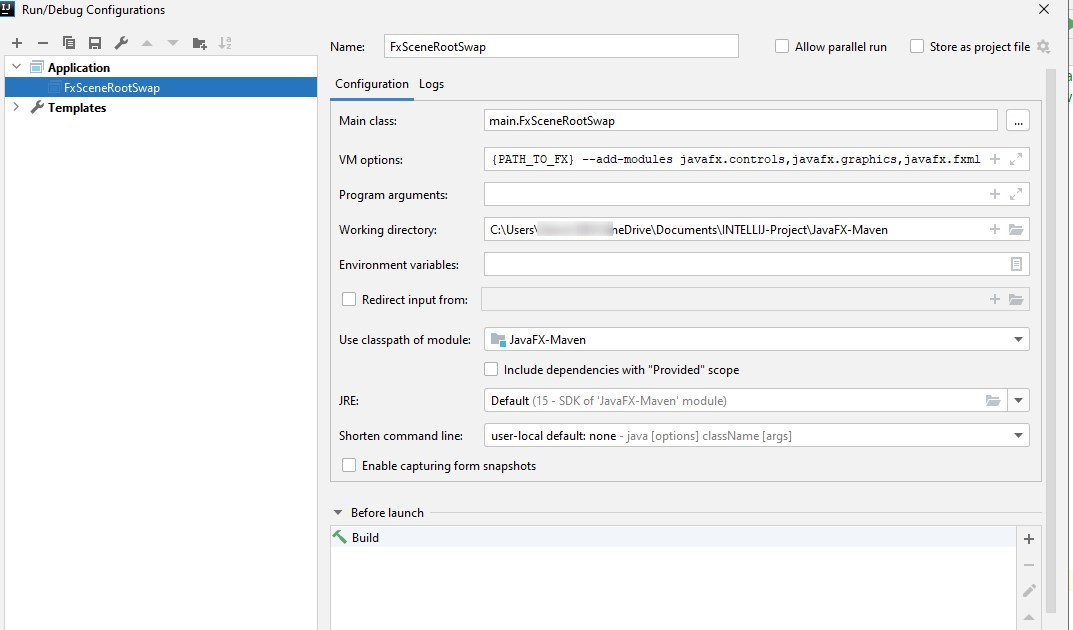
I also found that there is a plugin Installed, what kinda plugin is this? (javafx-maven-plugin Or maven-compiler-plugin )

Please sign in to leave a comment.
You do not need to add dependencies manually in case of the Maven project. You should manage all dependencies in pom.xml. Please follow these steps: https://openjfx.io/openjfx-docs/ Specifically
>Verify it includes the javafx.controls and javafx.fxml dependencies, and includes the javafx-maven-plugin.
Check the sample pom.xml file here https://github.com/openjfx/samples/blob/master/IDE/IntelliJ/Non-Modular/Maven/hellofx/pom.xml
Thnk u, ya actually I managed to do this earlier with the link u provided. My project works, if I just add these two additional dependencies in my POM.xml. But I just wonder what WENT WRONG with the manual dependencies. I wanted to figure it out.