Reloading re-named gradle project doesn't clear out old/invalid artifacts

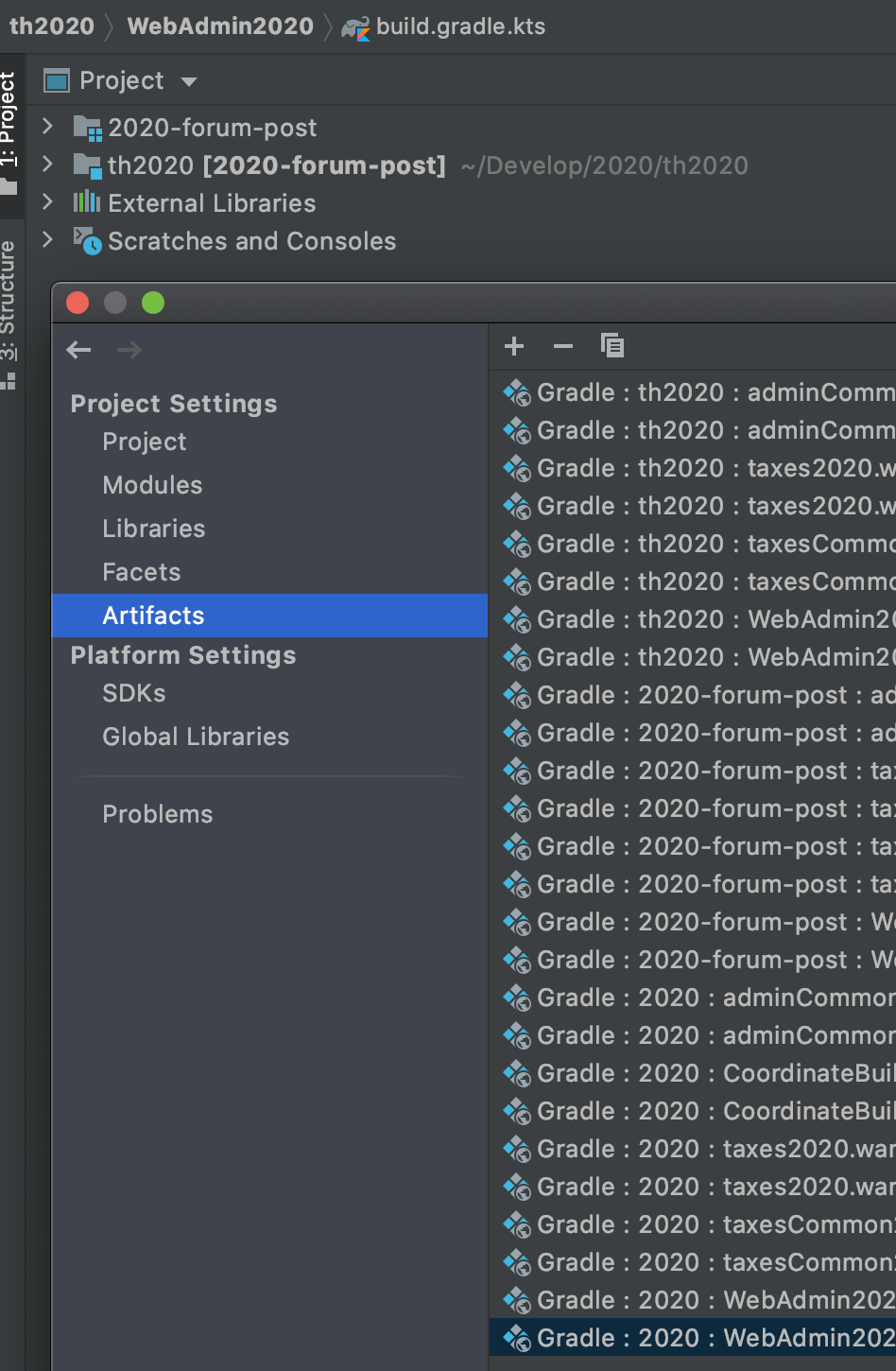
We are having problems with gradle project artifacts when the gradle project name changes. When the project name changes in the settings.gradle.kts file, IntelliJ properly imports the artifacts. However, the old artifacts remain (with the old name), even though they are no longer a part of the project. They can't be built, and are invalid in run configurations to be used. However, build folders may exist with these artifacts still in place and therefore cause much confusion when a project is run based on these old artifacts. Ideally, IntelliJ would recognize the name change and update in place these artifacts rather than duplicating them, or at least recognize that these are no longer valid gradle artifacts.
Have I just missed a setting somewhere or is this something that needs to be improved with IntelliJ? This may also be related to multi-project build setup, which we are using.
I will attach a screenshot of what I am seeing after a project name change from `2020` to `2020-forum-post`. (Also shown is the old project name `th2020`)
(Also, the closest I could find was this question, but the circumstances are slightly different -- may be the same issue tho)
Please sign in to leave a comment.
There was an opposite request to not remove existing artifacts: https://youtrack.jetbrains.com/issue/IDEA-127329
I think IDE could detect cases with project rename and update artifacts accordingly. Not sure if introducing an additional special option would be a good solution.
I have created the https://youtrack.jetbrains.com/issue/IDEA-250409 for this. Please vote and follow it for updates. Thank you for your request.