Problems with Intellisense with Yarn (berry) 2 PnP and Typescript (Webstorm 2020.2.2)

Questions in bold.
- Webstorm (tried 2020.2.2 and 2020.2.3RC) on Windows 10 x64
- Webstorm should support Yarn 2 and PnP since 2019.3+
- Is it necessary to do a yarn pnpify? There is no mention in the documentation, seems only to be necessary for VsCode and other editors, not for Webstorm.
- Reset Webstorm settings
- Yarn 1 was installed globally
- Select yarn package manager

- Create new React App (TypeScript)
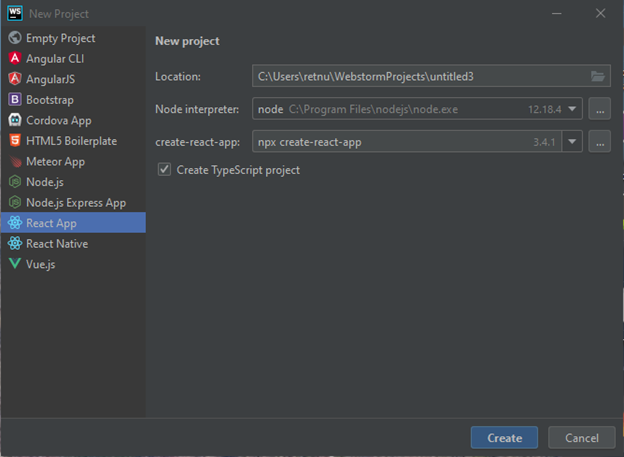
- Check everything works with yarn start
- Switch to Yarn 2 with:
> yarn set version berry
(see https://yarnpkg.com/getting-started/install) - Reinstall packages with:
> yarn install - Yarn 2 PnP is now active, node_modules folder is empty (except some babel and eslint cache files). Settings now show correct Yarn 2 version is used:

- Check everything works again with yarn start
- Webstorm Intellisense seems to be troubled (maybe because node_modules folder was deleted), look at App.tsx:
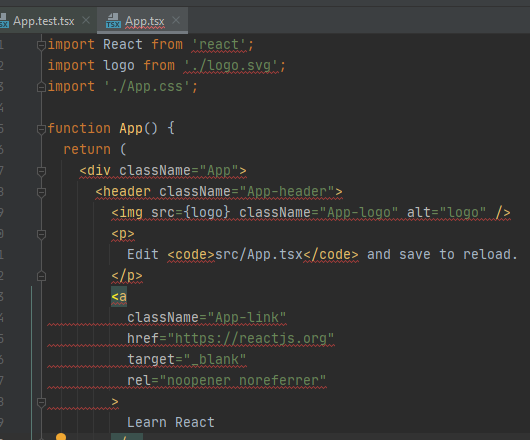
The Typescript compiler shows many errors: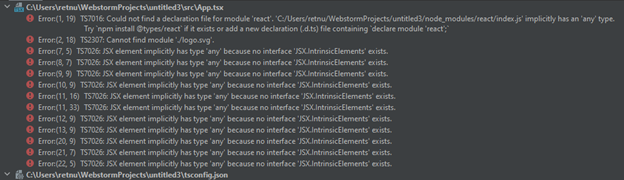
Restarting the Typescript service seems to fix this.
Is this the only way to fix this? - Checking settings in Languages & Frameworks/Typescript seems ok:
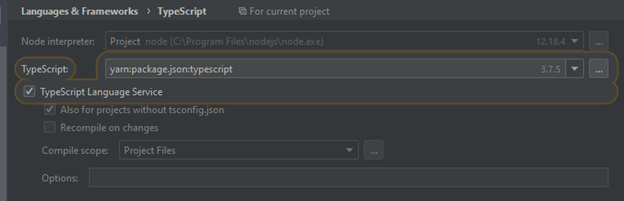
- Intellisense for React works:

- Now, trying to import lodash

I expected to be offered to automatically install the new dependency - Installing npm module manually:
> yarn add lodash - After I installed lodash, the IDE shows this:
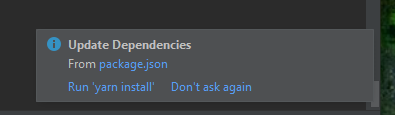
Webstorm seems to have detected a change in package.json (through the “yarn add lodash”) and offers to run yarn install.
But that seems unnecessary, yarn add already installed the dependencies
Just to be sure, I issued an yarn install.
The IDE still flags the import statement:
- Restarting Typescript Service again fixes this.
Is it necessary to always restart the Typescript Service for this? - Now I get the correct message that the type declarations are missing:

I would have expected Webstorm to offer me an action to automatically yarn add @types/lodash for me - Installing type declarations for lodash manually:
> yarn add @types/lodash - Again, have to restart typescript service manually
- No errors flagged now in App.tsx
- But Intellisense does not work for Lodash!:

- If I try everything above with yarn 1 (I think npm will work also), Intellisense for lodash works fine.
Please sign in to leave a comment.
Re-starting the tsserver after re-installing modules with yarn install should help, I can't see any compiler errors in App.tsx:
and the IDE prompts to install lodash on Alt+Enter:
You need to restart the service unfortunately after adding/removing node_modules due to https://youtrack.jetbrains.com/issue/WEB-46786
problems resolving/adding lodash with yarn pnp are logged as https://youtrack.jetbrains.com/issue/WEB-47661 and https://youtrack.jetbrains.com/issue/WEB-47662, please follow these tickets for updates
Thank you for your quick response, Elena.
So I understand right, you could reproduce the problem with no intellisense with yarn pnp and module typings (and the missing install prompt) and created issues?
And the current workaround is to not use yarn pnp, but yarn 1 if you want to have intellisense for module typings?
I am still a bit puzzled why my IDE does not prompt me for install lodash, what could be the cause?
Yes, I was able to reproduce the issues, please check the youtrack tickets I've created