Using IDEA to do jsp development will not automatically prompt
Answered

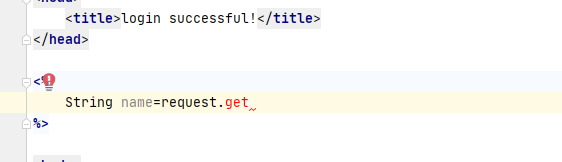
Using IDEA to do jsp development will not automatically prompt,how to solve???
Please sign in to leave a comment.
Hello,
You need to have the servlet jars on your build path.
If you are using Maven, add this dependency in the pom.xml file:
You may need to run clean and install commands from mvn lifecycle (Maven tool window in IntelliJ IDEA). An option will appear in the editor on top right asking to reload the project, click on that and the error should be gone.
If you are not using any build tool, just add the application server library to the application module dependencies: