Additional formatter for Apex language
Answered

I am developing an additional plugin for Apex language. So far I created a few inspections and those are working fine. Now I'd like to add a formatter. The formatter will add an empty line after the specific line of code. For example, the empty line should be added after logger.log(...) statement below.
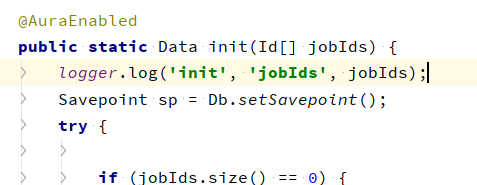
I repeated the steps from https://jetbrains.org/intellij/sdk/docs/tutorials/custom_language_support/formatter.html. But when I try to debug the formatter no one breakpoint of the formatter code is stopped after I run "Reformat Code" in the IDE.
This is my FormattingModelBuilder:

This is the Block:

And this is the extension point xml:

What did I miss? How to make the formatter code run?
Please sign in to leave a comment.
Sorry for delay. Is there maybe another formatter registered for language "Apex"? Try adding
order="first"
to your declaration.
Thank you for your previous answer. And yes, there is another formatter registered for language "Apex". The order="first" resolved the issue in 2019.3 version of IntelliJ IDEA. But in 2022.2 version it is not executing again. Do you know how to make it work again in the newest version of the IDE?
AFAIU it should continue working in this regard. Please debug results from com.intellij.lang.LanguageFormatting#forContext(com.intellij.lang.Language, com.intellij.psi.PsiElement), do they differ in the two IDE versions?