Use of Image Resources

Hi Community,
I'm in APCSA right now and I'm trying to run a demo program that essentially shows images with a GUI. However, the course I'm taking uses BlueJ as the IDE for all examples. The instructions say:
- Download the pixLab.zip file to the newly-created folder.
- Open the pixLab.zip file. Move the pixLab folder into the 14.10 Picture Lab folder.
- Within the pixLab folder are two other folders: classes and images. Open the classes folder and launch BlueJ by double clicking the package.bluej file. If needed, move your package.bluej file into the classes folder.
- Compile and run the PictureExplorer class. If an image of a beach appears, everything is set up and ready to go. If not, double check the placement of the images folder.
Keep the images folder and the classes folder together in the pixLab folder. The FileChooser class expects the images to be in a folder called images, at the same level as the classes folder. As you work through the project, add your own pictures to the images folder. Please note that there are two small pictures in the classes folder that need to remain there: leftArrow.gif and rightArrow.gif. If you copy the Java source files to another folder, you must copy these gif files as well.
Applying the instructions to IntelliJ, I did this:
Running it got me this:
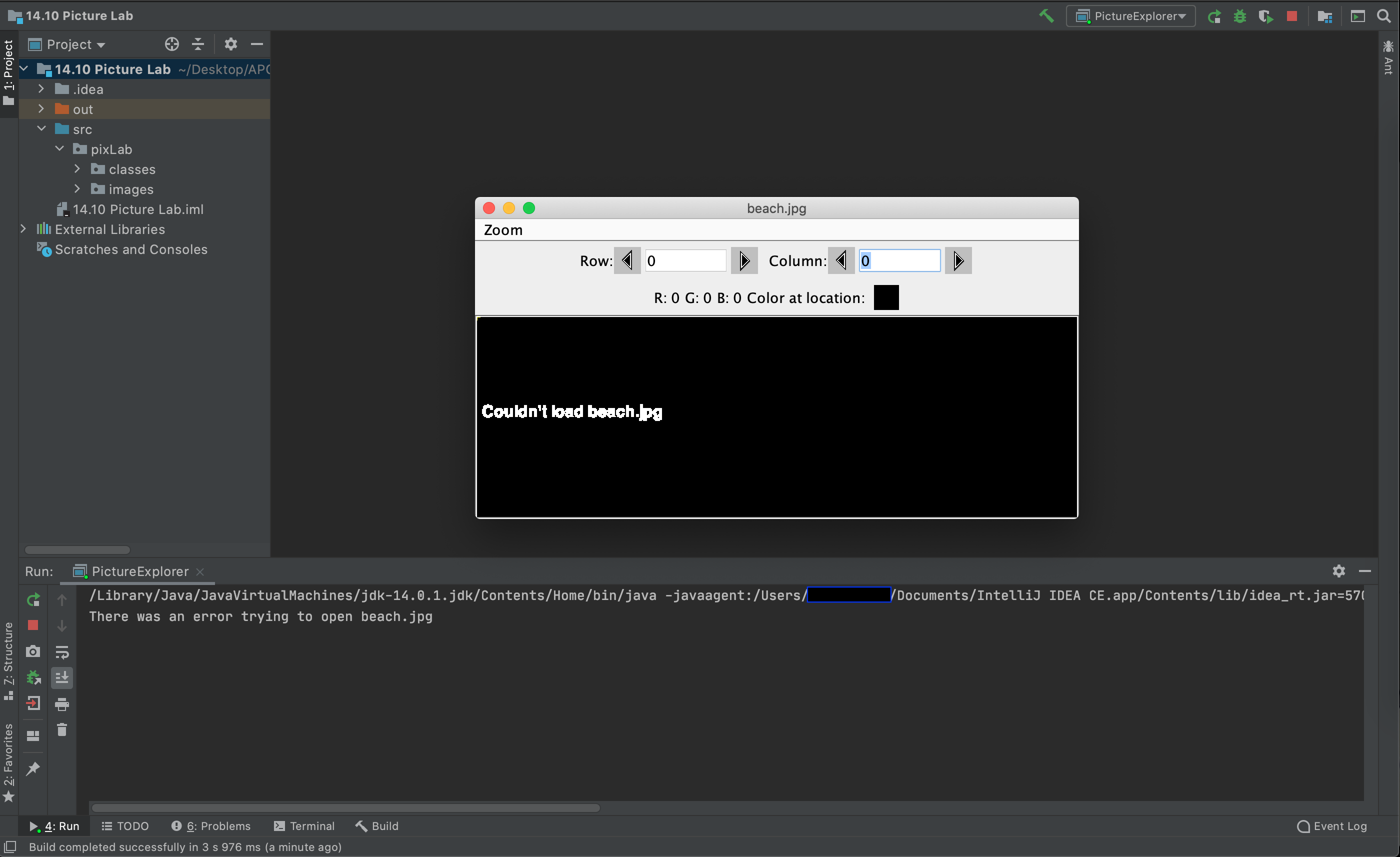
As you can see it compiled and the GUI showed up, but it couldn't load the images from the images folder.
Please help,
PolarIce1
Please sign in to leave a comment.
Try debugging the program to understand what actually happens.