GitHub push commits issue
Answered

Hello,
I have an issue where GitHub seems not recognizing my credentials when I push commits from either IntelliJ IDEA or PhpStorm. Thus my commits looks like this:
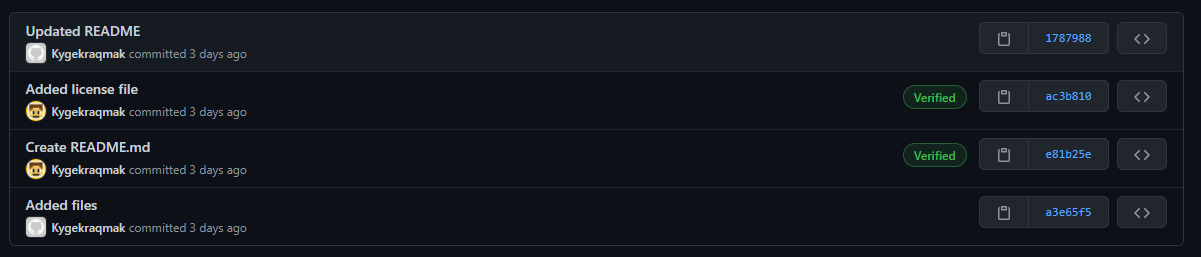
Note: The working commits (with my avatar) were from GitHub directly and the gray avatar were from PhpStorm.
Does anyone knows how to fix the issue? Any help would be very appreciated!
-- KygekDev
Please sign in to leave a comment.
I believe you have to setup a token on the GitHub site which is pretty easy as there should be a token link at the top of the sign-in screen in PHPStorm. I just clicked the link and I was able to use GitHub. Though re-reading your post it's probably not the problem? Though I do know I have had problems with tokens in the past on GitHub.
Token is only used to push/pull, and GitHub does not care about the credentials used to push when showing commit authors.
The authorship information does not depend on the way you authorize to GitHub, it only depends on what your author settings are in git.
So I believe the issue is that the email specified in git settings locally is not known to github. To solve the issue, either change the email in git config or add the address to GitHub account.
See https://docs.github.com/en/free-pro-team@latest/github/setting-up-and-managing-your-github-user-account/setting-your-commit-email-address for more deails.