Link or button in validation hover pop-up to go to that setting

I have a hard time sometimes finding in settings which validation or pop-up or whatever it is to disable or change it... for instance, this 'typo' validation:
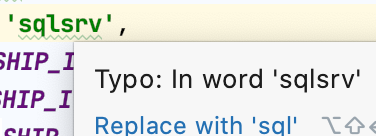
Certain validations are generally irrelevant to me across jobs (which may have their own PHPStorm installs), and I don't always remember where to find them, so them being there and trying to find them to disable them becomes distracting and too time-consuming.
Maybe I'm missing something, but if there were a link or button or drop-down to take me to the validation or pop-up setting in settings, or a way to just disable/change it from there (like change whether it runs, or pops up, or which color the squiggly underline is, or what type of validation it is), that would really save me a ton of time across installs or jobs. Yes I know 'typo' is easy to find in validation, but a lot of other pop-ups or visual "hey look at me" things are difficult to find in settings.
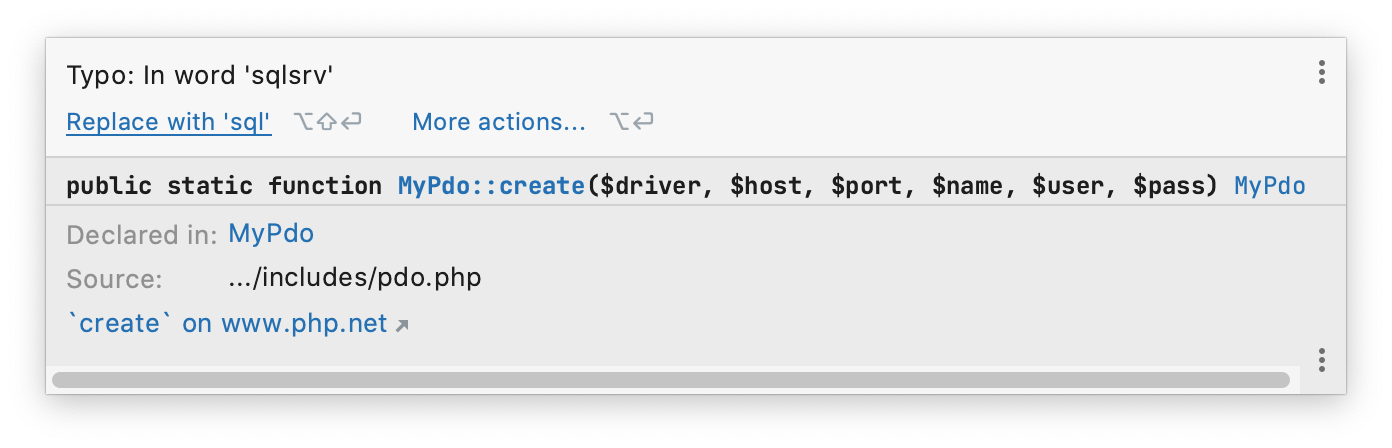
Here's the full window by the way... the code is custom and irrelevant, so ignore that. The issue is being able to easily find the setting or disable/change it from the pop-up box itself in some way.
Please sign in to leave a comment.
Hi there,
Yes, It's Alt+Enter (on Windows/Linux) -- "More actions..." on your second screenshot and go from there:
Related help pages (that talk about using some of such elements from a such menu):
When you state the keys of the keyboard shortcut, please state the name of the shortcut in Keymap settings. I'm on Mac so it takes a longer amount of time to find which one you're talking about. Thanks.
@Vadiru
1. The Mac shortcut is there (see screenshots below). P.S. You can use "Find Action by Shortcut" button on Keymap screen to locate the action and how it's called there (if it's not hardcoded and has an entry/action there, of course).
2. The help pages (the 2 links at the end) -- you can change the Keymap there to see localized shortcuts. That covers most common bundled keymaps.
P.S. If the action is accessible via Min Menu then I always provide such path (for exactly the same reason: the shortcut quite likely will be different on another OS / keymap. Knowing the menu action you can always look it up right there in the menu (it should show it there) or look up/change later in the settings if needed.
Thanks for the info.
I'm not seeing where Keymap you mean "Find Action by Shortcut".
In Keymap, there's a dark magnifying glass to the right of the text search box, but clicking that shows title "Find Shortcut":
Is that what you mean? This is in the Mac PHPStorm Preferences Keymap.
The reason why I request that you state the name of the shortcut is because searching for a Windows keyboard shortcut in the Find Shortcut on Mac will not always work... because of course Mac and Windows keyboards are different.
Yes. The popup hint that appears when you hover over that button has that text:
Yes, I understand that.
My point was rather: the Mac shortcut was there on your initial screenshot. I think I should have made one more image and highlight it there in the first place (rather than just having ""More actions..." on your second screenshot" text reference only).
OK thanks.