Android Studio Cannot Start Internal HTTP Server
Answered

Hello,
Just finished installing Android Studio 4.2 on fresh Windows 10 machine.
I start the application for the first time and I receive this error:

and also this one:
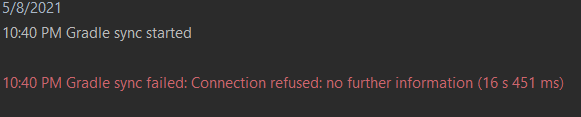
So I check the firewall and see this, which means Android Studio is allowed on Private network. These rules and not created by me; they are created by the Android Studio itself and I assume they are correct.

And I check the status of built-in server and I assume this one is correct too:
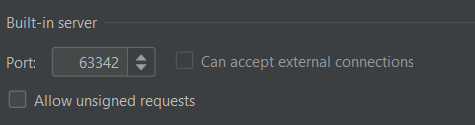
So why I get the above errors?
Please sign in to leave a comment.
Please disable firewall to troubleshoot that. Most probably, it prevents IDE from using the network.
Also, make sure that localhost is binded to 127.0.0.1