Cannot disable next edit suggestions
Answered

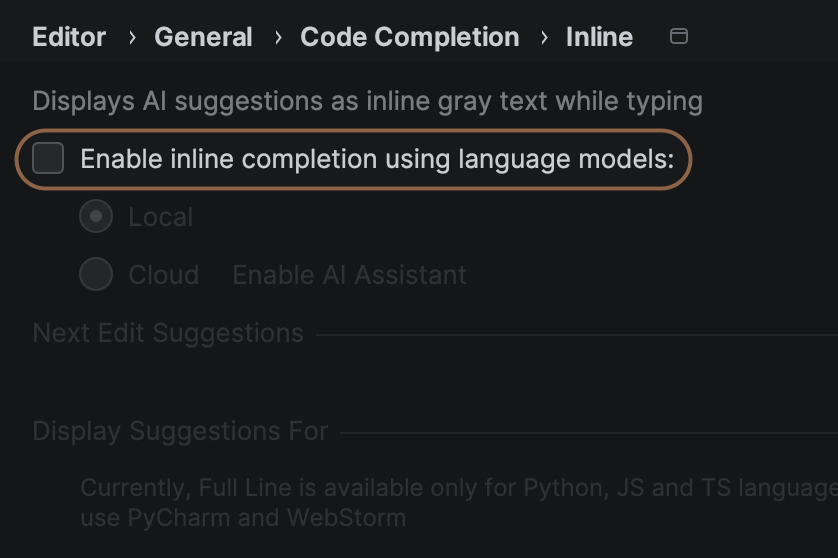
I do not have inline completion enabled but the “next edit suggestions” keep popping up.
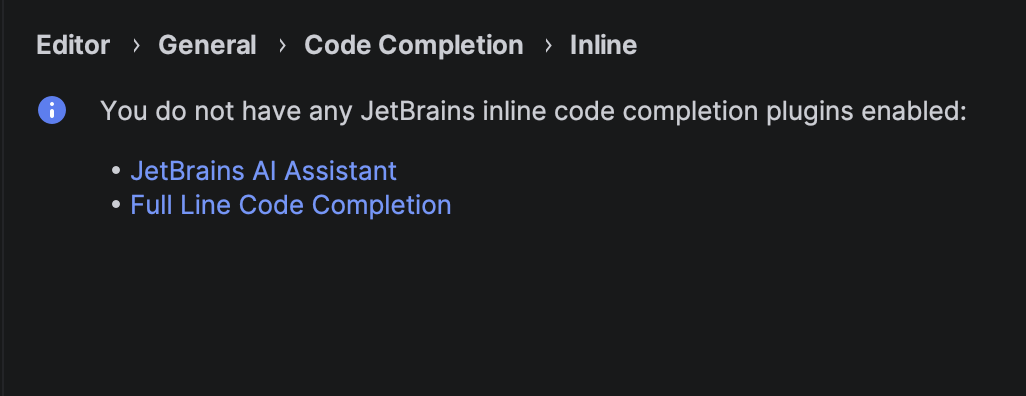
Even if I completely remove the inline code completion plugins, I still get the “next edit suggestion” popups.
Please sign in to leave a comment.
Hi Robbie Bischoff,
Could you please attach a screenshot showing the suggestions you keep seeing and also share the idea.log file, which you can locate via Help | Show Log in …?
You can upload the log privately at https://uploads.jetbrains.com/. Once the upload is complete, please share the upload ID here so we can locate the file.
Anastasia Zhukova upload is 2026_08_13_2BVpNsJTrA3My6CCRrwQGX
Robbie Bischoff,
Thank you. This is not our standard Next Edit suggestion and seems to be coming from GitHub Copilot NES:
Could you try disabling the Enable Next Edit Suggestions option under Settings | Tools | GitHub Copilot | Completions?
Anastasia Zhukova Thanks. Looks like that worked. Seems the search in settings doesn't find this when searching for “next”. Maybe because search doesn't include plugin settings?
Robbie Bischoff,
I'm glad to hear it, thank you for the update.
Settings search relies on searchable options provided by the plugin. The Copilot plugin does not appear to include these resources, so its settings are indeed not available in Settings Search.