Cannot open projects by navigating to folder

My PyCharm was updated in the morning from v2025 to v2026 and that's when the problems started to occur.
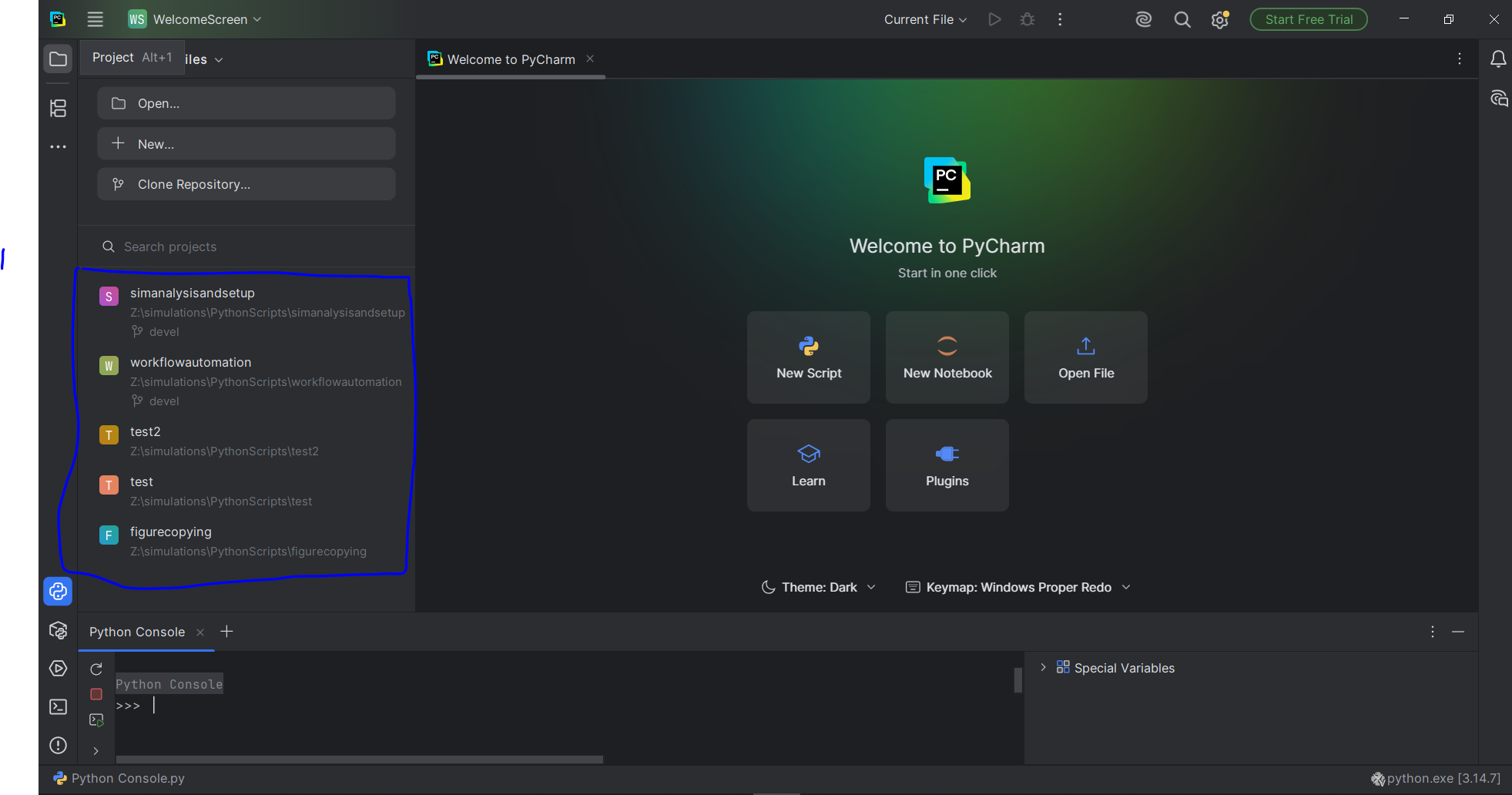
I am unable to open any of the projects through the two standard approaches:
- Clicking on any of the recently opened projects( How were the projects opened then? I will come to this later).
- By navigating to the project folder through File>Open>ProjectFolder.
If I open a single file associated with the project, PyCharm asks me whether I want to open this file by opening the complete project. If I click on “Open Project” PyCharm opens it properly and I am able to work with the project in the usual manner. However, using the previously mentioned two standard approaches PyCharm cannot open the project.

The definition of “cannot open the project” is that PyCharm simply refuses to do anything ; literally anything. Nothing happens.
The interesting thing is that it cannot even open newly created projects using the two standard options.
All the projects have .idea folder contained within them which are NOT empty.
I have also noticed that when you navigate to the project folder using File>Open, the project folder is usually shown with a small icon on the top-left corner. Perhaps this is an indication of PyCharm detecting it as a project. In my case PyCharm doesn't do that.
I have tried following approaches without sucess:
- Deleting the appdata folder which PyCharm creates on startup.
- Un-installing/installing PyCharm.
I have no idea what's going on and help would be appreciated.
These are my PyCharm details:
PyCharm 2026.2.1
Build #PY-262.9437.214, built on August 11, 2026
Source revision: e3fceeafe8ef7
Runtime version: 25.0.3+9-b508.16 amd64
VM: OpenJDK 64-Bit Server VM by JetBrains s.r.o.
Toolkit: sun.awt.windows.WToolkit
Windows 10.0
Exception reporter ID: 170926122c1b4ec-fad7-4037-9ad6-dad23edda583
JCEF version: 144.0.15-262-b37
GC: G1 Young Generation, G1 Concurrent GC, G1 Old Generation
Memory: 4000MiB
Cores: 8
Registry:
 debugger.watches.in.variables=false
 ide.experimental.ui=true
 trace.state.event.service.url=https://api.jetbrains.cloud/trace-status
 code.provenance.chatter.analytics.enabled=false
Non-Bundled Plugins:
 hg4idea (262.8665.173)
 PerforceDirectPlugin (262.8665.176)
 Subversion (262.9437.286)
Please sign in to leave a comment.
Can you try disabling the mentioned plugin `hg4idea` and see if it helps? Also, go to Settings | Advanced Settings and clear Show the Welcome screen in non-modal mode. That returns the Welcome screen to a separate dialog - let me know if you can open the projects from there.
Either way, ideally we would like to troubleshoot this one further, so open a new YouTrack case and provide the IDE logs from Help | Collect Logs and Diagnostic Data
I have created the ticket numbered PY-92323 . I cannot see hg4idea plugin installed in my PyCharm. I have also tried clearing Show the Welcome screen in non-modal mode but it does not work.