shellcheck not working/checking
Answered

I've recently discovered that shellcheck comes with recent versions of IntelliJ and went to trying it out. Sadly however it doesn't seemt to be checking everything.
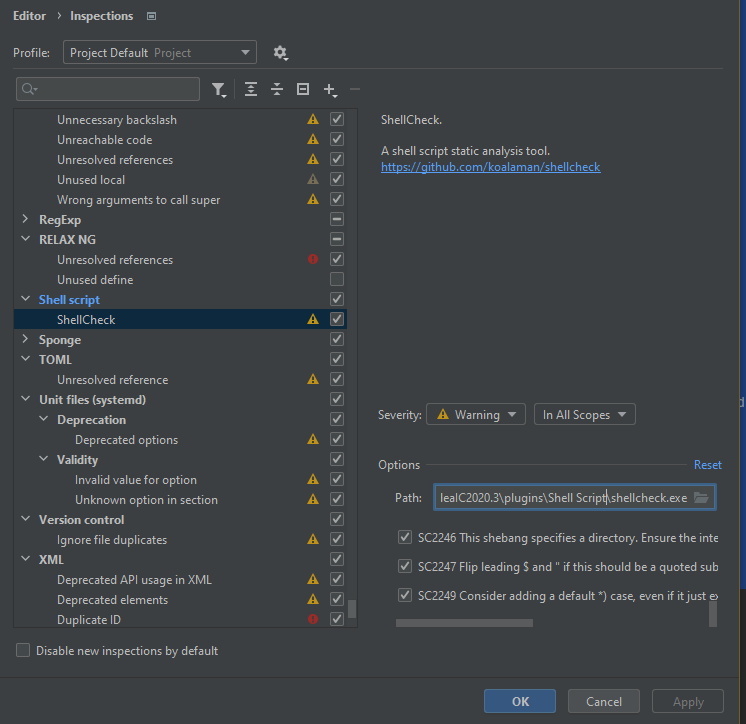
I then checked the settings and manually enable all the checks (none were checked by default) and still nothing.
I also checked if the bundled binary was broken, but no that works just fine.
Upload id: 2021_07_22_FfXR5BHFon1m2R3W (file: Unbenannt.PNG)
Clearly I'm doing something wrong, can anyone help me here?
Please sign in to leave a comment.
Please share these four screenshots:
1. Preferences | Editor | Natural Languages: https://i.imgur.com/9lqNHyZ.png
2. Preferences | Editor | Natural Languages | Grammar | Scope https://i.imgur.com/a6VrVKB.png
3. Preferences | Editor | Natural Languages | Grammar | Rules https://i.imgur.com/QjVcxKK.png
4. Preferences | Editor | Natural Languages | Spelling https://i.imgur.com/a6VrVKB.png
And the screenshot of a place where spellcheck is not working, like that: https://i.imgur.com/l8y6O7r.png
Not spellcheck. shellcheck!
This: https://www.shellcheck.net/
Oh, sorry.
What is the version of IntelliJ IDEA? What is the expression you are trying to check?
https://i.imgur.com/7uOerf7.png
Checking all the options is not needed btw: https://i.imgur.com/GM22DEe.png
This is so weird. Unchecking the boxes seems to activate it. Are these boxes for supressing?
And I suppose there was a bug, but it got fixed as it absolutely didn't work at one point or another.
Thank you for pointing that out.
I had the exact same issue. Shellcheck not working. I checked and unchecked some options and now it's working.
It seems the shellcheck options you can select in PyCharm settings are to suppress warnings/errors: checkmark set = suppressed. Verified with PyCharm 2023.2.