Unable to develop Maven + Scala project within WSL2

Hi, I'm trying to develop Scala + Maven project in WSL2 using IDEA. But I can't make it work.
IDEA is 2021.2 installed from Jetbrains Toolbox with Scala plugin installed. Here's how I reproduce the issue:
I've installed OpenJDK 8 both in Windows 10 (AdoptOpenJDK HotSpot version) and WSL2 (Ubuntu 20.04, openjdk-8-jdk-headless) using default official release or package.


I've also configured maven setting & project structure to use JDK within WSL2:


However, when I'm opening a Maven + Scala project (for example, Spark), it seems that IDEA can not handle modules. Showing the following error:

Because of the error, intellisence is not working:
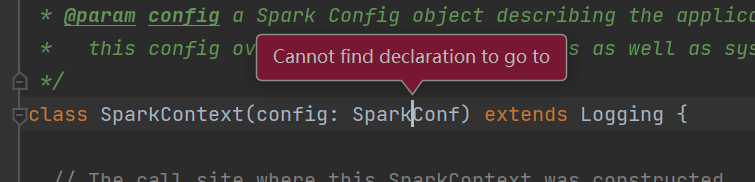
And code structure can not be identified:

Also because of the error, IDEA can not auto import Scala SDK (If this works, it should get the version of Scala SDK to add from Maven POM):

I tried to change maven settings to use maven in WSL:
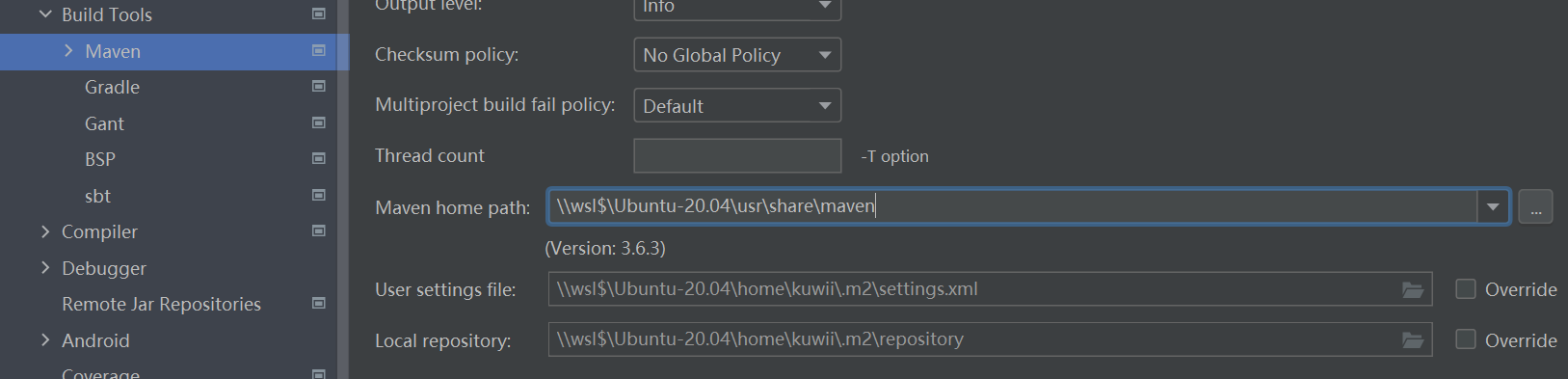
But it didn't help.
I tried on 2 different PCs and the result are the same.
Is there anything I missed? Or is there any step I did wrong?
Please sign in to leave a comment.
Hi,
By the looks of it, you've bumped into https://youtrack.jetbrains.com/issue/IDEA-267333.
Could you please attach the idea.log file (Help | Show Log in Explorer) after restarting the IDE and reproducing the problem?
Hi,
I uploaded the log using JetBrains upload service, ID is:
And it seems that the error related to maven is:
Thank you. It is IDEA-267333 all right.
I added this case to the bunch for the Dev team's reference.
Feel free to leave additional comments in the issue directly. See this article if you are not familiar with YouTrack.