[SOLVED] Main Menu missing (Linux)
Answered

Today I opened CLion 2021.2.3 (and PyCharm Pro 2021.2.2) and found that I no longer have a Main Menu bar:
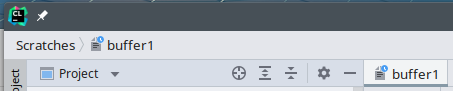
I'm using KDE Plasma 5.23.3 on Arch Linux.
All attempts to restore the main menu bar have failed. My only workaround is setting a keybind to show the main menu popup.
I've tried everything I could find by searching.
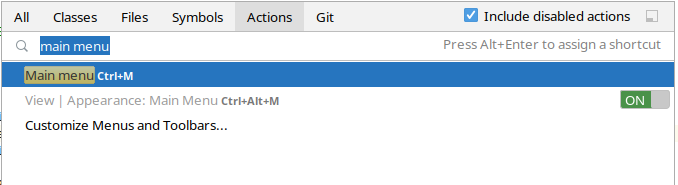
Trying to show the main menu through the quick search popup doesn't help, the action is disabled (?).
Tried linux.native.menu=false on both CLion and PyCharm without any change.
Any ideas?
Please sign in to leave a comment.
Sounds like https://youtrack.jetbrains.com/issue/IDEA-225691 Disabling Linux native menu should help.
Can you attach idea.log file (use Help | Show Log in ... action) after IDE restart? For uploading you can use https://uploads.jetbrains.com or any file sharing service.
Please also try running IDE under a different JDK (try different JDKs of 11 version): https://www.jetbrains.com/help/idea/switching-boot-jdk.html
The issue turned out to be a regression in Plasma. I found this issue was also affecting a select few other applications.
The fix for me was disabling the KDE application menus daemon.
System Settings -> Startup and Shutdown -> Background Services, and uncheck "Application menus daemon", Apply and restart the plasma session.