Disable auto format for code refactoring

Can someone once and for all point me to the way on how to disable PyCharm auto formatting for code refactoring? The examples like the following have wasted me big time as I have to refactor -> auto format -> manual format back... I tried to disable all options under Editor/General/Smart Keys, but with not luck...
Before refactoring:
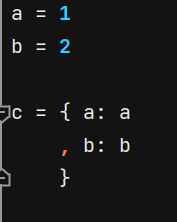
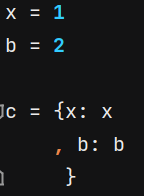
After refactoring (change variable name a to x). Notice the removal/addition of white space before x/}:
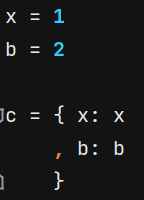
But I expect to simply get this instead, and now I have to manually format it to like this:
Please sign in to leave a comment.
Hi,
You're probably looking for this settings, please try it: