Upgrading from Intellij 2020.1.2 to IntelliJ 2021.2.3 Issue when use with Java Play 2.2

I am upgrading my IDE from IntelliJ 2020.1.2 to IntelliJ 2021.2.3.
My project uses a pretty old Java Play library, play_2.10-2.2.0.jar, which by default, it will retrieve messages from its own jar. The below image captures what is present in the play jar, where messages is placed in the root directory.
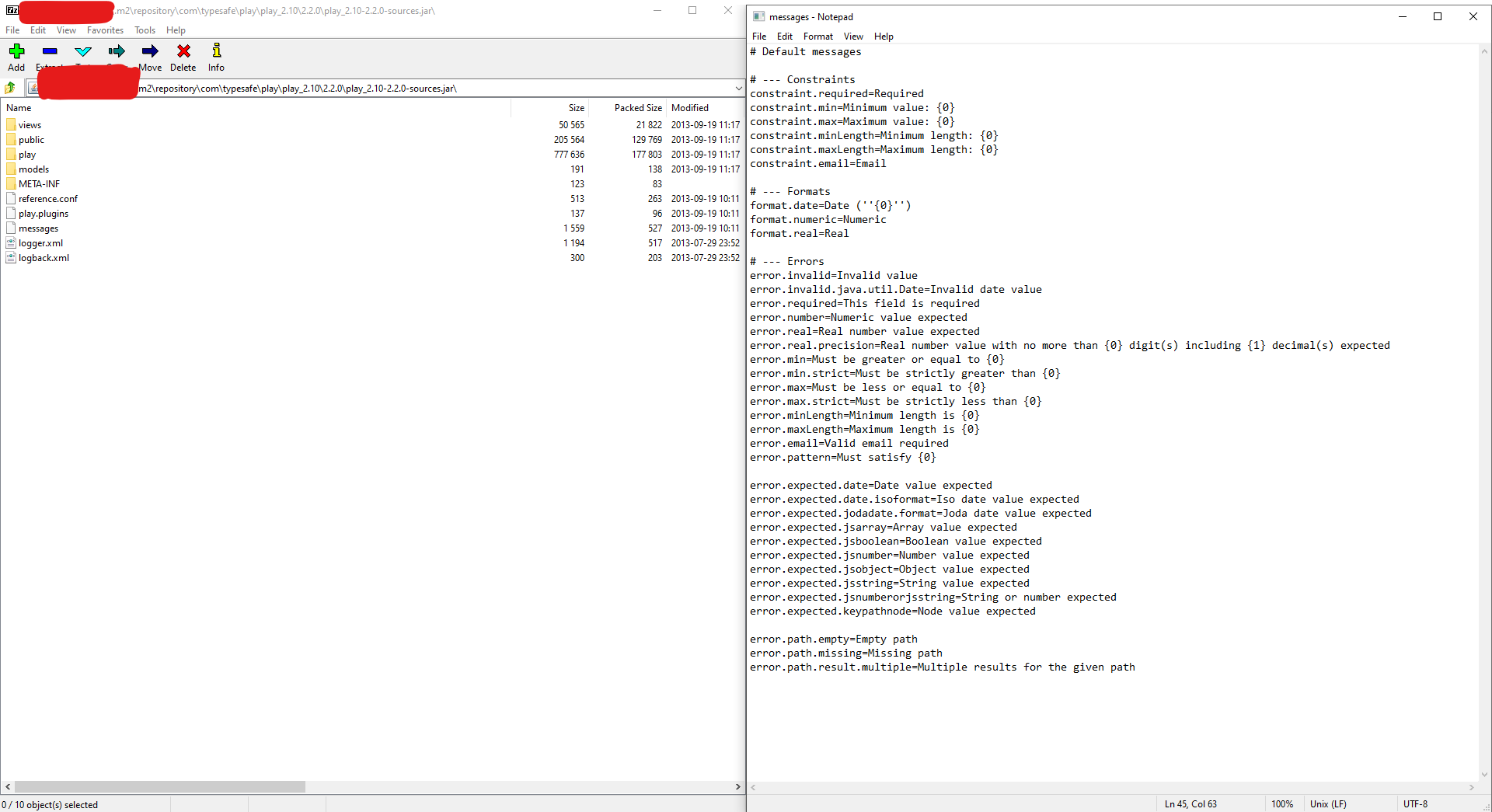
And when I started to run the application using IntelliJ, instead of retrieving the messages file correctly from .m2 play folder as specified in pom.xml, it gets the IntelliJ runtime jar as shown below.

Which of course, creates the issue. This is an issue previous IDE does not have.
And it seems there is a crash of classpath here. How can I ensure play jar classpath as always override IntelliJ one? [Though I believe other exception may arise in case if IntelliJ cannot found the message folder properly.
When I use java command, I can always ensure the order by specifying -classpath order. How can I do the same in IntelliJ? Specifying it in Project Structure modules may not be helpful, as it seems IntelliJ runtime jar is never present here.
Is there any solution for solving the issue?
Thanks.
Please sign in to leave a comment.
Is it possible to share a sample project where this could be reproduced?
Wild guess: try to define the play.jar explicitly in Run Configuration: https://i.imgur.com/475FzvO.png
After some research, I found that by setting
bin/idea.propertiesin IntelliJ setting.The code work as expected.
Solution are found in Running ScalaTest in IntelliJ removes everything but idea_rt.jar from classpath.
This solution solves the solution as it prevents IntelliJ runtime jar to be executed in IntelliJ executed java program.
Though it is strange to me, why this only occur after IntelliJ upgrade. As the Stackoverflow link above answer is placed in 2012. But before the code gets upgrade, the code work as normal. ==