Reload is required for plugin development.
Answered

The doc below is what i have tried:
https://plugins.jetbrains.com/docs/intellij/ide-development-instance.html#enabling-auto-reload
But when i run buildPlugin in gradle, execution failed at prepareSandbox: Could not copy file
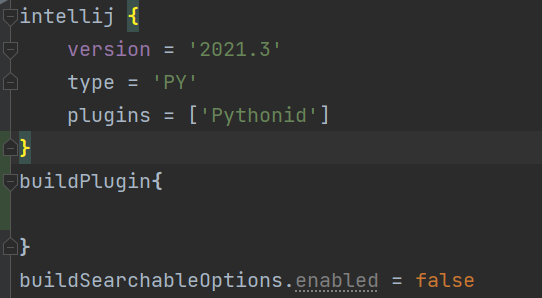
What i have tried:
1.Enable autoReloadPlugin BY:

2. Disable buildSearchableOptions BY:
After code changed, when run buildPlugin, what do i get:

Please sign in to leave a comment.
Hi,
1. Your plugin uses Gradle as far as I understand. Why do you set system property for auto-reloading in run configuration? System property is needed only for the DevKit approach. In Gradle projects it is enabled by default from 2020.2, but in case it has to be set manually, it should be done in runIde task in your gradle.build file.
2. What file cannot be copied and why? Are there any details? Did you try to run it with --stacktrace option?
I run into the same problem on Windows 10. On macOS it runs fine.
The error message says (german):
Which translates to:
Here is the stack trace. I deleted most of gradle calls to make it short.
Hi, there. Delayed response for a long vacation.
The problem is same as that the post above presented.
1. I run the Plugin build on Windows and haven't tried it on MacOS.
2. After run with --stacktrace, stacktrace shows FileNotFoundException while the error message still in messy.
3. Where to set auto-reloading in gradle?
Hi Xean,
It may be caused by antivirus. Please exclude the sandbox directory from scanning and see if it solves the problem.
Hi Cesare,
It should be enabled by default for platforms >= 2020.2 according to Enabling Auto-Reload docs.
If your plugin still can't auto-reload, please make sure that all of your extensions registered in the plugin.xml file are dynamic. See Dynamic Plugins for details.
I'm having a similar problem but in my case the plugin jar is locked by the JBR java executable (on windows):
Is this perhaps something that doesn't work on windows?
Any updates on this? I'm having the same issue under Windows 11 for IntelliJ 2021.1.3
I have the same problem on windows7 for 2022.3.1