how to disable the automatic selection of the line after "Copy Line" action
Answered

I was wondering if there is a way to just remove the selection when I copy a line by doing ctrl + c on a line
before: I just have my cursor in a line
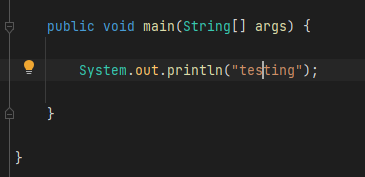
after: I just press ctrl + c

I don't like how I have to do an extra step to unselect everytime, there must be a way to just remove the select without removing any functionality. Other IDE's have this working perfectly but I would love to have the same experience in intelIJ, maybe I am missing a particular setting that can enable or disable this.
What would be the solution?
Please sign in to leave a comment.
Generally, there is a request for that in our bug tracker: https://youtrack.jetbrains.com/issue/IDEA-133854
May you elaborate on your use case? What is the next action after copy? Typically, it is a mouse click, or arrow press to place the cursor to another position and past the just selected line. In both of the above cases, the next action removes line highlighting, so you don't need to perform an extra action.
The next action for me is virtually always Ctrl+V, as I use this most-often to duplicate lines, for minor adjustments.
Hello Jakenveina. The shortcut to duplicate lines is cmd+d/ctrl+d, which is faster than copying and pasting. You can check its documentation.