Any way to automatically download files updated by Remote SSH External Tools?

Hello,
I use Remote SSH External Tools to run Black and isort on single files. Is there a way to automatically download the updated files from the remote server? It would save me finding the file in the project view then right clicking -> Deployment -> Download from ... -> Yes, each time I run it.
I thought this would help, but I don't see where the download shows up:
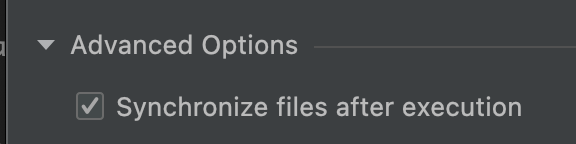
Any help would be greatly appreciated.
Thanks
Ashley
Please sign in to leave a comment.
We unfortunately can't listen for any remote FS change events & thus can't auto-download changed files. Here's a feature request to vote for: https://youtrack.jetbrains.com/issue/WI-1284.
Perhaps right clicking the project folder > Deployment > Sync with ... would work a bit faster & convenient for you?
Thanks Dmitry Tronin. I can see the FS change events could be useful. In this case I was hoping it was more simple than that. My external tool definition uses $FilePathRelativeToProjectRoot$ and Pycharm knows when the tool has exited. So it should know everything it needs to know to go grab the file. Would that be possible?
Yeah, sounds logical but I'm afraid there's no place in IDE that could use that to achieve your goal. I'm not sure if "Synchronize files after execution" works as expected in a remote execution context. I would need some time to test this on my end.
No problem, thanks Dmitry Tronin
Yea, so $FilePathRelativeToProjectRoot$ takes only what's available locally. E.g. if I'm to run this remote SSH tool from a Windows machine to Linux - that would fail, because the $FilePathRelativeToProjectRoot$ macro would pass local Windows paths.
That would only work in case the paths locally are matching the paths remotely. Even then - that's not an indented use, and that's a coincidence that this works.
Next, how exactly do you run remote SSH tool? Do you basically highlight a bunch of files in a project view, then run the tool? If you rely on $FilePathRelativeToProjectRoot$ - then you must have some files selected as a context.
Or do you run the tool on the files one after another? And then you want to download the modified copies?
In that case can probably switch to "Open files" scope in a project tool window and use that view to download the required files: