Inconsistency in interpreter version

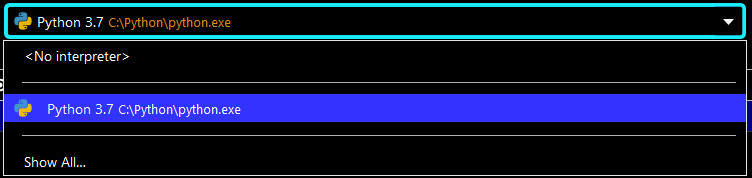
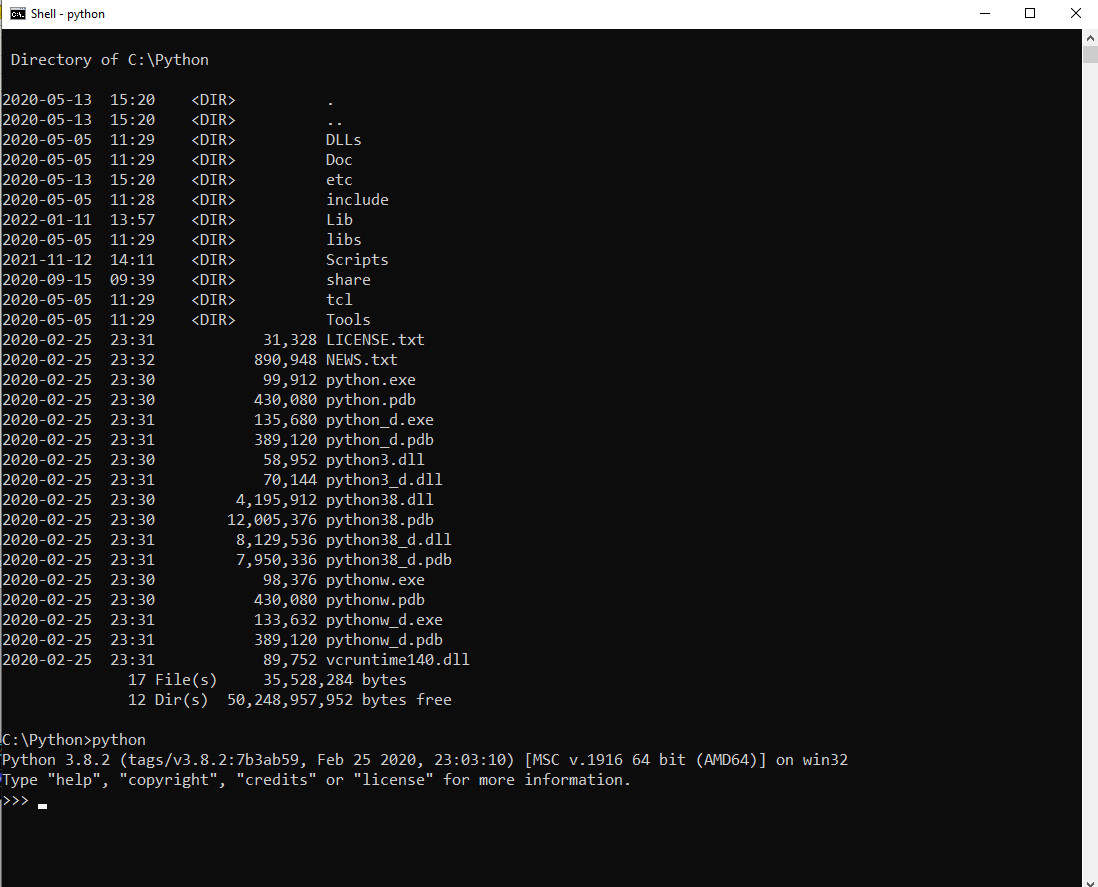
I'm just getting started with pycharm but my first inclination is that something is amiss. I already have python 3.8.2 installed so I wanted to set that as my preferred interpreter. However, pycharm seems to think that it is version 3.7. I'm hoping the two screencaps I uploaded get included here. One shows the pycharm dialog indicating that c:\python\python is version 3.7. The other shows a command shell where I ran python.exe from the folder c:\python. It shows the version as 3.8.2.
Of course it doesn't help that everything I ever installed that wants to use python installs its own copy as evidenced by:
C:\Program Files (x86)\ClipGrab\python\python.exe
C:\Program Files\GIMP 2\bin\python.exe
C:\Program Files\LibreOffice\program\python.exe
C:\Program Files\LibreOffice\program\python-core-3.8.10\bin\python.exe
C:\Python\python.exe
C:\Python\Lib\venv\scripts\nt\python.exe
C:\Python\Scripts\ipython.exe
C:\Users\Jim\AppData\Local\JetBrains\PyCharmCE2022.1\demo\PyCharmLearningProject\venv\Scripts\python.exe
C:\Users\Jim\AppData\Local\Microsoft\WindowsApps\python.exe
C:\Users\Jim\AppData\Local\Microsoft\WindowsApps\Microsoft.DesktopAppInstaller_8wekyb3d8bbwe\python.exe
D:\Python Projects\pythonProject\venv\Scripts\python.exe
Please sign in to leave a comment.
When you inside [C:\Python] in the terminal, try running python with [.\python.exe] to make sure you're running the executable from this directory, and not from another directory in your PATH.
It says 3.8.2, but that doesn't explain why it says 3.7 in the dialog. And it is obviously using my installation because when I do "import wx" it knows about the wxpython package, which is only installed under c:\python.
At least I know it's using the correct one.
Have you tried removing and recreating the interpreter? Is it still shown as Python 3.7?
I did what you suggested and now I can't run anything. I loaded up a wxpython project and after selecting c:\python\python.exe as the interpreter I now just get "no module named 'wx'". So now I'm dead in the water.
Also, I now have yet another python.exe as it (and along with a bunch of other stuff) was created as a venv in the project directory. What do I do if I don't want to create a new virtual environment with every new project?
You can select to use the existing interpreter when creating a new project.
Please try running your code using c:\python\python.exe from the command line. Does it work? Please provide a screenshot.
I tossed the project and started a new one from scratch. I was able to select my existing interpreter and run the app from within PyCharm. Now I can carry on with learning to use the IDE. There is a lot there to learn, even in the free edition. Thanks for the help.