How can I specify the context of triple quoted strings in PyCharm?
Answered

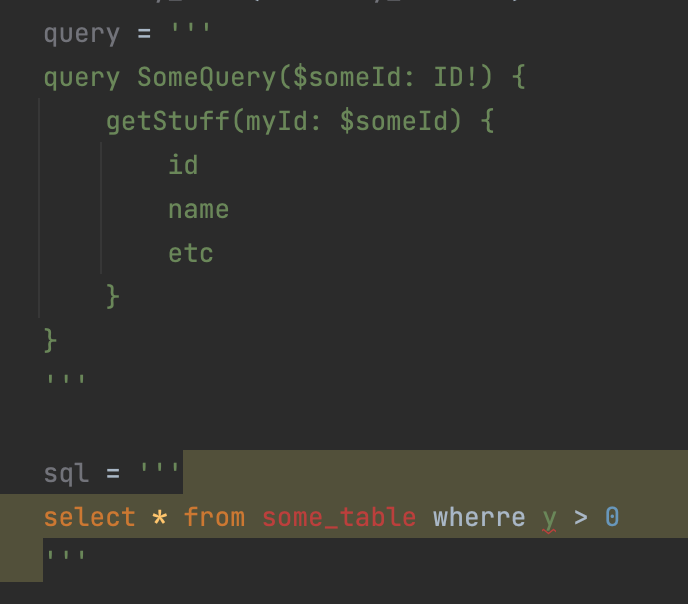
As of PyCharm 2022, if you have a triple quoted string containing a SQL query, PyCharm detects the context/intent of the string, and provides contextual support (syntax highlight and other stuff).
What I'd like to do is help PyCharm know that a triple quoted string contains, specifically in this case, a GraphQL query. Ideally, it'd provide all the help it does when working in `.graphql` files (with configuration for data sources and all), but at a minimum, offering GraphQL syntax highlight would be helpful.
Is there a way to do this today?
Please sign in to leave a comment.
Hi, there's a few steps you can take:
1. First, make sure to install the GraphQL plugin.
2. Select the string in the quotes > Alt/Opt+Enter > Inject language > GraphQL
3. [OPTIONAL] Go to "Preferences | Editor | Language Injections" and disable python SQL injections so they are not recognized automatically. Also, you can add your own custom GraphQL injection, but it requires some pattern editing.
Very nicely done. Thanks. Works great!