Does not keep the state of functions after exit

HI!
Every time I open my project, I have to collapse the functions that I collapsed when I closed it. How can I save this so I don't have to do it every time? It is very annoying.
Please sign in to leave a comment.
Works fine for me... Does it happen with all files or some certain ones only? WebStorm persists manually changed folding state, it is saved in
.idea/workspace.xmland restored on file re-opening, so, if you collapse some block manually, it will be collapsed on file re-openingNot for me. It doesn't do it for all files, but so far I haven't figured out what makes it do it. It doesn't remember it for most files. If I close and reopen it in WebStorm, it still shows the unzipped version. Some files do. In vain, in vain it went to it, in vain it went automatically and in vain it is turned on to close automatically. What you wrote fijl is there, but I can't find any reference to these metrics.
I really like that IDE, but I'm so annoyed with it that I'm starting to regret subscribing to it. It's not a huge thing, even Vscode can do that.
For many files of 4000-5000 lines, it is very annoying to have to sort after each opening and minutes are wasted.
The idea is to make it as easy as possible. I'm working on a big project and it's already slowing me down considerably.
do you collapse the functions manually, by hand? also, do you have any on save or startup tasks configured? Any file watchers touching your files?
Yes, they do everything manually, after opening each file, because it's transparent. If I close it, it gets lost and I can reopen it again. It doesn't matter if something is open next to it. If you only have Webstorm running, the same is true.
Everything is already in default, only in Settings/Editor/Code Folding is Method bodies, Custom folding regions, from JavaScript only xml is not enabled, the rest is.
> If I close it, it gets lost and I can reopen it again.
haven't got what you mean, sorry
do you have any on save or startup tasks configured? Any file watchers touching your files?
> do you have any on save or startup tasks configured? Any file watchers touching your files?
Nothing configured separately, fresh windows installation.

If I manually do the closure, it's like this:
I close the file and open it again:
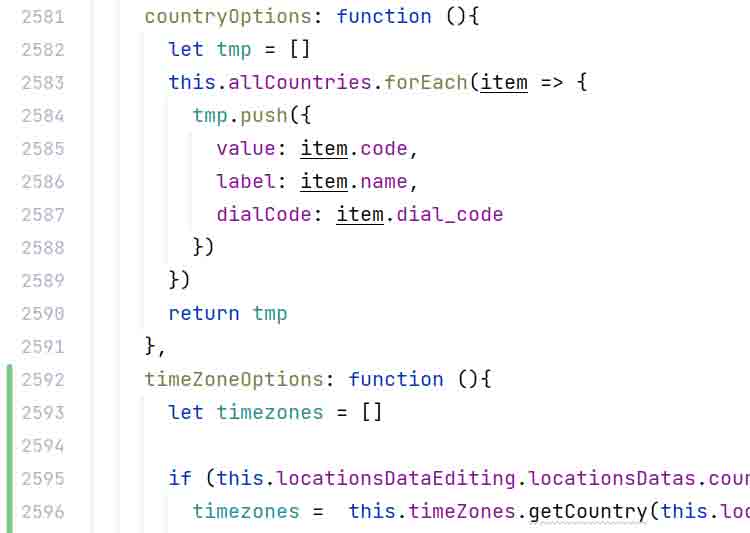
This is tolerable for some functions, but less so for those above 50.
I've found similar request - https://youtrack.jetbrains.com/issue/WEB-46960/Remember-the-folded-code - but, as I wrote, this works for me... The folding state is now stored in <IDE configuration folder>/workspace/<project id>.xml, like
<folding>
<element signature="e#272#294#0" />
</folding>