Flex iOS Packaging - getting assets into IPA root directory

I need to package my AppIcons, static launch screens, and a configuration file into the IPA/Payload/navcon.app directory. When I view the output directory after packaging the app I see my assets, but opening the IPA package, these assets are not packaged into the IPA.
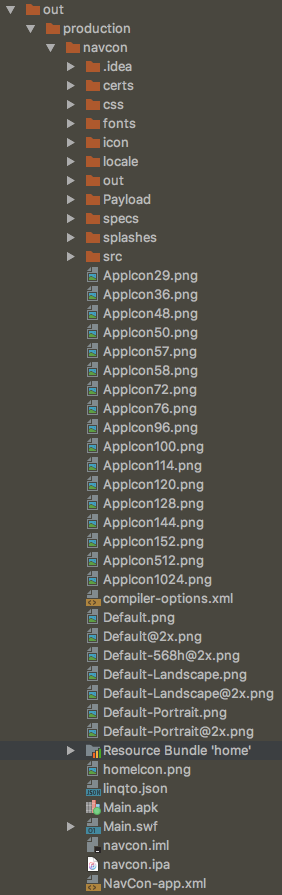
This shows the output directory containing files I need to get into the IPA. I need the AppIcon files, the Default* static launch screens, and the linqto.json file to be packaged into the IPA package root (this is a whitelabel app and these files must be accessible at runtime as well as when branded). This is easily done with FlashBuilder by default. Just started using IntelliJ for Flex development and it's not working as it did in FB.
This is the contents of the IPA package after building:
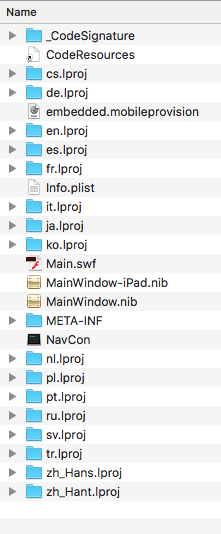
Without the launch screens and icons in the IPA package, iOS can't display them.
I've tried moving these files around to various locations, and marking the folders as source, etc., to no avail.
Thanks for your suggestions.
Erik
请先登录再写评论。
OK I solved this one by poking around. I don't know if this is the *right* way to do it, but I added the app icon files to "Files and folders to package" option in the module settings under iOS tab: