HTML file is higlighted

Hello,
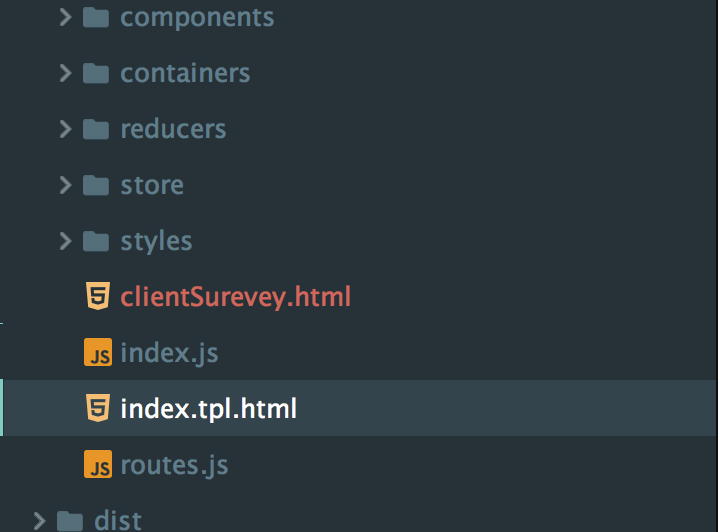
I created a new html file in WebStorm, but somehow the file is highlighted red, same as multiple folders. I am wondering what is going on with this, and if there is anything I can do to change this - Please refer to the attached image file for clarity or the video clip here.

请先登录再写评论。
Normally unversioned files are highlighted this way. Is your project version controlled?
Note that you can change the colors used for VCS status highlighting in Settings | Version Control | File Status Colors
Thanks! So the highlights means the changes (difference) between my local and whats on the repository?
Yes; please see https://www.jetbrains.com/help/webstorm/2017.3/file-status-highlights.html for more info
Thanks again. What I just realized is that I cant edit the files - if I hit on the "delete" button, it acts as if i'm tapping the left/right arrow button. Please see video for clarification: https://flic.kr/p/HumEn4
Based on the color code from this link: https://www.jetbrains.com/help/webstorm/2017.3/file-status-highlights.html
it says "During the last update, file was merged with conflicts. " . The thing is I just created this file, and haven't done any updates yet.
>What I just realized is that I cant edit the files - if I hit on the "delete" button, it acts as if i'm tapping the left/right arrow button.
do you have IdeaVim plugin installed? Please provide your idea.log (https://intellij-support.jetbrains.com/hc/en-us/articles/207241085-Locating-IDE-log-files)
>Based on the color code from this link: https://www.jetbrains.com/help/webstorm/2017.3/file-status-highlights.htmlit says "During the last update, file was merged with conflicts. " .
no, it's rather `unversioned` - file exists locally, but is not in the repository, and is not scheduled for adding.