Not able to run file watcher on Mac os as expected

I setup a file watcher for my UI files to copy automatically to target folder of my JavaEE project, so that I don't have restart my server to reflect changes on UI. But I am not able to run File watcher as expected. Arguments is a simple copy command passing to iTerm application
Arguments: cp -a $ContentRoot$/webapp/ $ContentRoot$target/
Issue: File watcher is opening iTerm application as expected to execute copy command, but my arguments are being changed to as below
Changed Argument: cp\ -a\ $ContentRoot$/webapp/\ $ContentRoot$target/\
It is adding backslash in every space. For that reason my copy command is not working as expected. Can onyone please explain why Intellij is add those backslash by itself in arguments? How to prevent this behaviour?
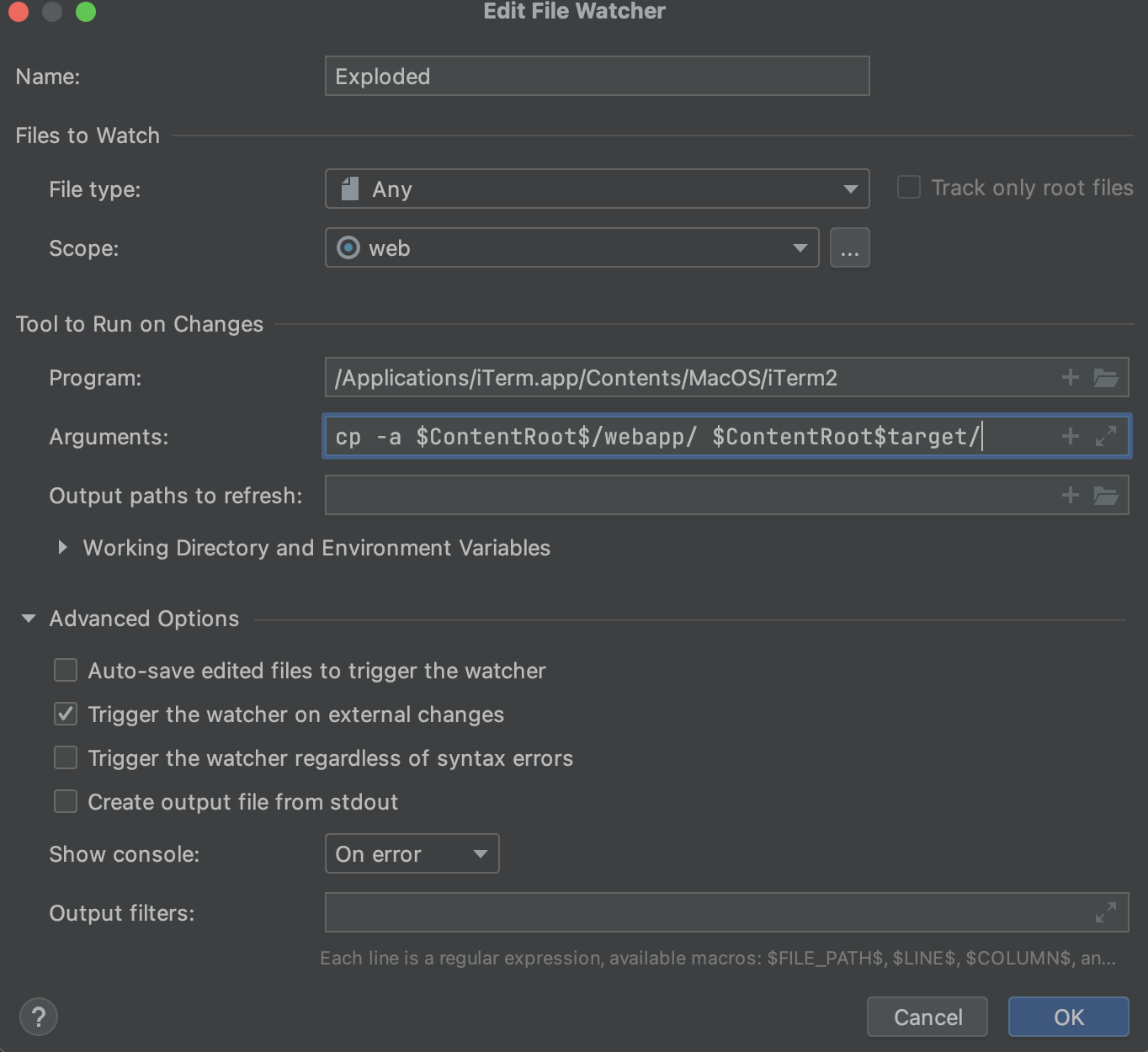
Thanks in advance
请先登录再写评论。
Where did you see the argument with added backslash?
Does it help if you quote the argument? I did a simple test with a custom executable file and did not see the backslash is added to the argument.
in iTerm window. On execution of File watcher, it open iTerm and execute the command as mentioned in arguments but changes are not reflecting. So I go to bash history and checked the last command. It executed in iTerm with backslashes
Maybe it's caused by the iTerm application. I could not reproduce this with the Terminal as well.
It is sill incorrect as per your screenshot as well. For some reason, it is concatenating “cp” command at the end at the end of the file path, which eventually failing the script to execute

Please kindly create a .sh file for executing command lines.
See also https://intellij-support.jetbrains.com/hc/en-us/community/posts/207095949-How-to-use-Filewatcher-to-run-a-shell-command
That is what I am doing as alternative solution. Configured sh file and executing it through File watcher. But this is not a good solution. It is unnecessary extra setup to do. I am expecting File watcher to run arguments as expected
Feel free to watch the YouTrack item in order to be notified once it has updates. See [this article](https://intellij-support.jetbrains.com/hc/articles/207241135) if you are not familiar with YouTrack.
Thank you Ethan Yin