Disable documentation popup

Hi,
I enabled in the settings the popup of the documentation when I place the mouse cursor over a method but I don't remember what was the name of the setting. I would like to disable it since it doesn't really work: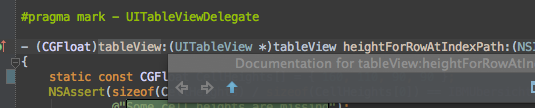
what is the name of the setting ?
cheers
请先登录再写评论。
Hi, the checkbox you need to switch off is Preferences | Editor | Show quick doc on mouse move.
According to the screenshot above, the documentation popup is collapsed. Please try to expand it by dragging its bottom-right corner.
allright thanks.
Is it possible to disable it when AppCode is in debug mode ? In that case, the doc popup clashes with the variable value popup.
No, it's only possible to configure its timeout. You can disable it and invoke it manually using cmd+j.
okey thanks