Storing project in a git repository?

There is no dialog to specify the location of a new project. On Windows, I found that they are all stored in %UserProfile%\.0xDBE10\config\projects\. So, I created a new project, closed it, cleared it from the recent list and moved the underlying .idea\ directory into my code repo. Then I opened it up from the new location and attached the project folder (which contains .idea\). Everything seems to work fine. However, I suspect that this might be the wrong way to do business because proj\.idea\workspace.xml contains personal things like editorHistoryManager and panes, etc.
I am not familiar with the .idea project folder system. How do I share the project with my teammates? In Visual Studio, I create a solution file and that along with all project files go into git and I ignore files like .user and .suo, etc. How can I do that with 0xDBE?
If I gitignore project.iws, workspace.xml and dataSources.local.xml will I be good to go?
Thank you!
请先登录再写评论。
Hello Wayne,
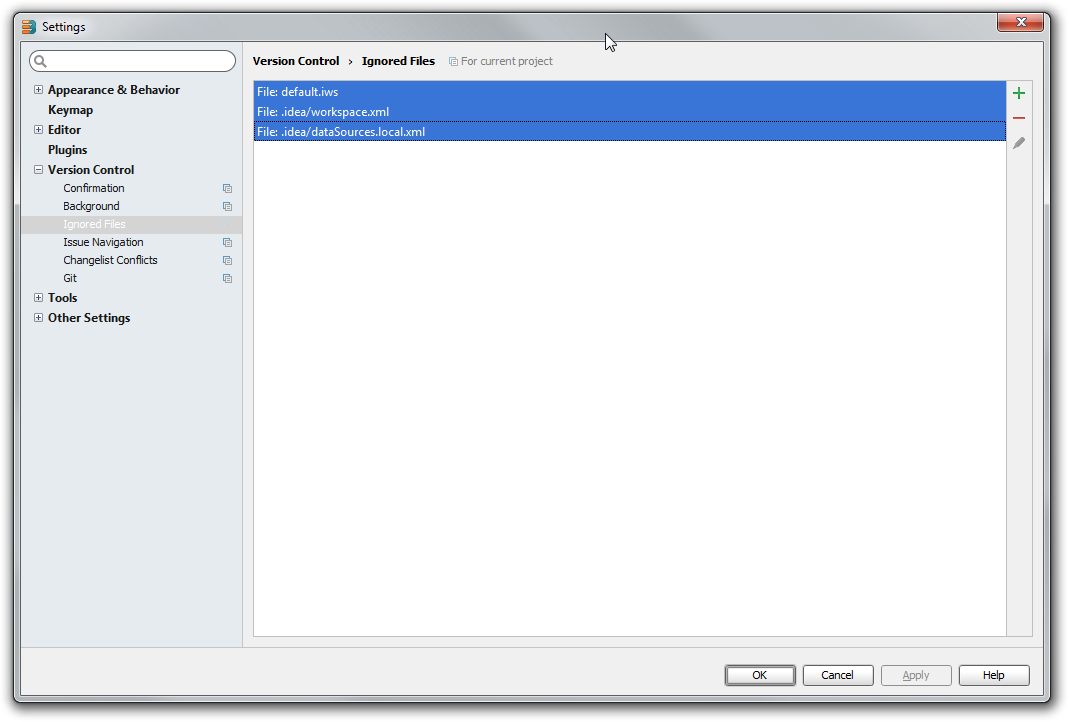
Please check https://intellij-support.jetbrains.com/entries/23393067 on what files you can check into the vcs. Basically you should ignore workspace.xml, tasks.xml (if you use task management https://www.jetbrains.com/idea/help/managing-tasks-and-context.html ) and datasources.local files.
Thank you Andrey, I will try that out.