How to disable green 'Import Project' bubble?

Everytime I started intellij I get a green popup that doesn't go away on it's own and blocks a large portion of the upper right portion of my IDE telling me that certain .sbt files I have open don't have an external project related to it.
Is there any way to turn this off? I press ignore everytime and it comes back everytime.
请先登录再写评论。
Here is a screenshot of the box

It doesn't even timeout, I switch between projects a lot and it comes up and has to be dismissed everytime. It's really annoying.
I use the sbt gen-idea plugin to make my intellij files so I really don't care about what this is trying to do.
After trying several of the possible things this bubble could called be I hit upon `notification`
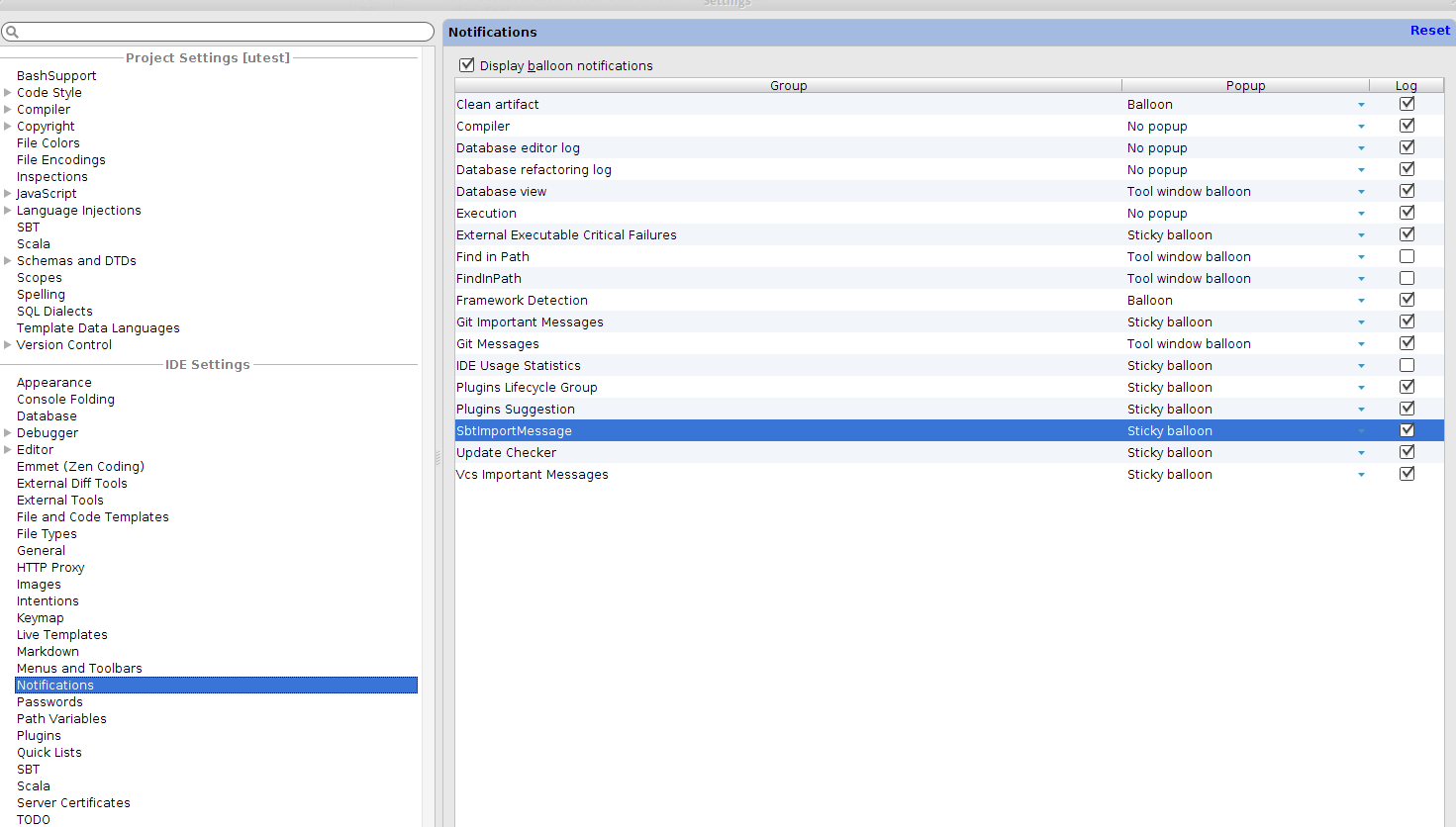
So I searched the settings for 'notications' and found it!
from 'Sticky balloon' to 'No popup', how your fortunes have changed SbtImportMessage
Hi Benjamin! We'll add an aditional option to suppress these messages right into the messages themselves (SCL-7127). Thank you for pointing out the problem.
What's wrong with built-in IntelliJ IDEA SBT support, that you have to use gen-idea?
Best regards,
Alexander Podkhalyuzin.
Thanks, I have the same issue. Good to know where to deactivate the bubble.
I still prefer gen-idea, because it just works. I might switch to IDEA's own sbt support at some point, but right now... "never change a running system" ;)
sbt gen-idea let's us encode setting in the build file that are shared by the whole team. So everyone doesn't have to go into IDEA and dig through a lot of settings that have to be changed.
For example on a multi person these settings allow us to encode additional facts beyond what the built in idea sbt support is able to provide: